Protecting identities with the Sumo Logic platform
Today’s cyber threat landscape necessitates that we, as defenders of the enterprise, place identities at the center of our detection and response programs. Credential theft is a common tactics and techniques used by threat actors to gain initial access, persist in environments, and move laterally.
This blog will demonstrate the powerful features of the Sumo Logic platform - namely Cloud SIEM and Cloud SOAR - to automate the verification of sensitive administrative actions, reducing analyst workload while improving security posture.
Setting the stage
Examining a recent CISA report regarding the LAPSU$ threat actor group, the critical role of identity-based attacks is brought into sharp focus.
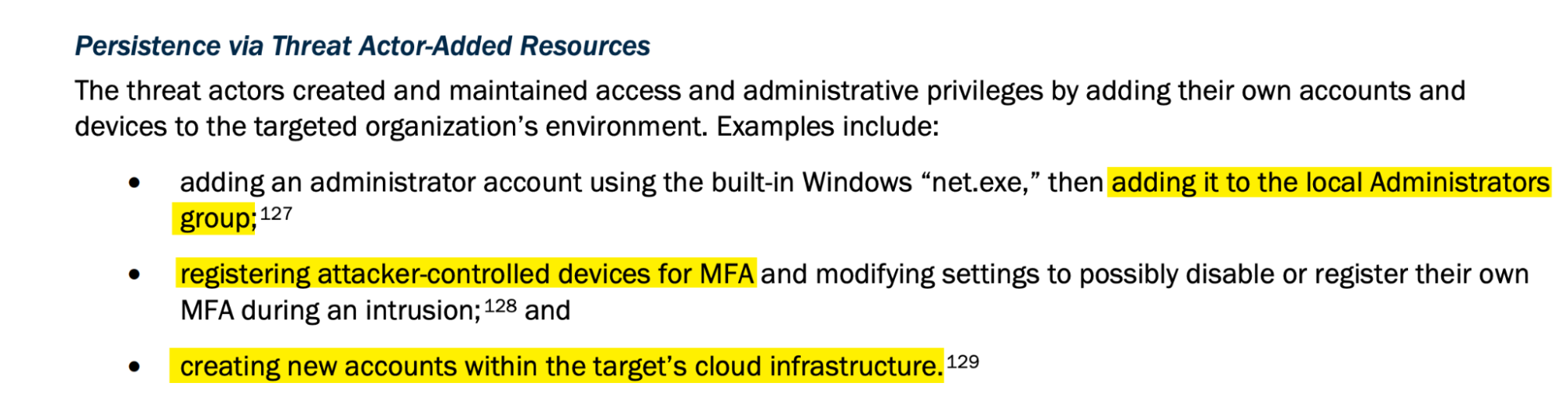
We see three very distinct persistence methods.
Of particular interest here is the fact that the three techniques mentioned span both cloud and on premises infrastructure. This dynamic highlights the need for security teams to have visibility into both environments.
Sumo Logic’s Cloud SIEM contains out-of-the-box content for these three persistence methods and analysts are able to work out of box Signals for a user being added to a local administrators group, an MFA device being registered, or a user account being created.
This is a fantastic starting point. Analysts and users of Cloud SIEM are able to understand what is happening in their environment and are able to respond to these types of alerts. However, as the adage goes - garbage in, garbage out. If the telemetry is not configured correctly, then the alerts will not be generated.
Let’s unpack this dynamic a little bit more and look at one of these alerts through the eyes of a SOC analyst.
Through a SOC analyst lens
Let’s imagine we’re a SOC analyst who receives an alert that a user has added another user to a sensitive group in the cloud.
If we compare this type of alert to something like a “Malware detected on host” alert, the stark difference in context becomes apparent.
With a “Malware detected on host” type alert, the analyst knows that this activity is at least somewhat suspicious. Yes, there may be false positives, but the activity itself is inherently suspicious.
Contrasting this dynamic with an alert for a user adding another user to a sensitive group in the cloud, the analyst has much less context to work with.
This operation may be part of normal business operations, or part of a system change that is documented in a ticketing system.
The analyst has a few choices here when investigating this type of alert:
- Look for indicators within the telemetry that this action was suspicious, such as an odd IP or User Agent
- Look for previous actions undertaken by the user that is performing the group addition
- Cross-reference tickets or change requests to determine whether this activity was expected
- Reach out to users manually in order to confirm the group addition
All these actions are perfectly valid and there may be additional playbooks and standard operating procedures that the analyst may follow.
A common thread among these avenues, however, is that they are time-consuming and require the analyst to context switch between multiple tools and systems.
What if we can automate this process, reduce analyst toil and automatically reach out to the user that performed the sensitive action to confirm that the action was indeed intended?
The confirmation workflow
As outlined above, our goal is to reduce the time it takes for an analyst to review an alert, and reduce the amount of context switching required.
To do so, we want to automate the process of confirming a “sensitive administrative action”.
What constitutes such an action will vary depending on the environment, risk tolerances and telemetry available. However, the general approach remains the same.
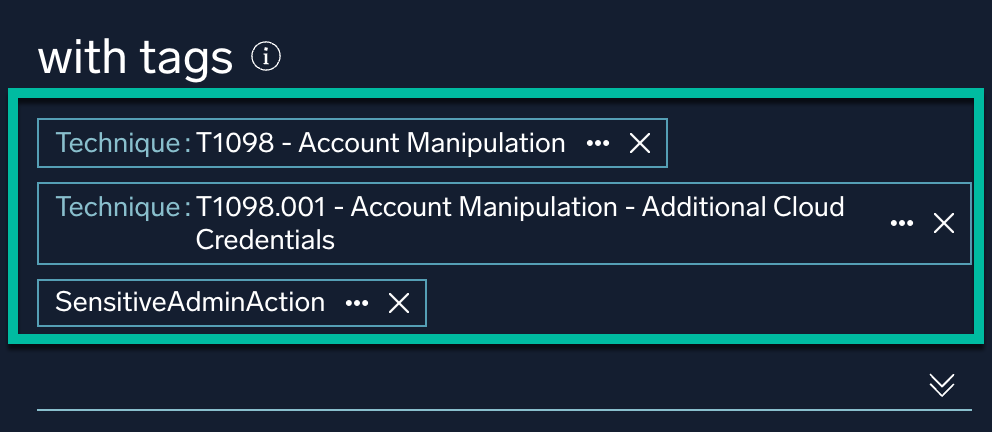
Cloud SIEM provides tagging functionality that allows users to tag either existing out-of-the-box or any custom-developed rules. We can then use these tags to trigger Cloud SOAR playbooks.
When we put all these features and pieces together, we have all the necessary components to build a powerful confirmation workflow.
Let’s outline what this playbook will look like step by step:
- A Cloud SIEM built-in or custom rule that looks for any type of sensitive administrative actions is tagged with a “SensitiveAdminAction” tag
- The Cloud SIEM signal is triggered by activity occurring within the enterprise (A user being added to a sensitive group, for example)
- A SOAR playbook kicks in upon the signal trigger
- The SOAR playbook utilizes Cloud SIEM’s inventory to look up contact details of the user who performed the action
- A communication is sent to the user (a Slack message, for example) giving the user details of the signal and asking if they performed the action
- If the user confirms the action, no further action is taken
- If the user does not confirm the action, a high severity insight within Cloud SIEM is generated for analyst review
For those who are more visually inclined, this flow is represented by the below chart using MermaidJS:
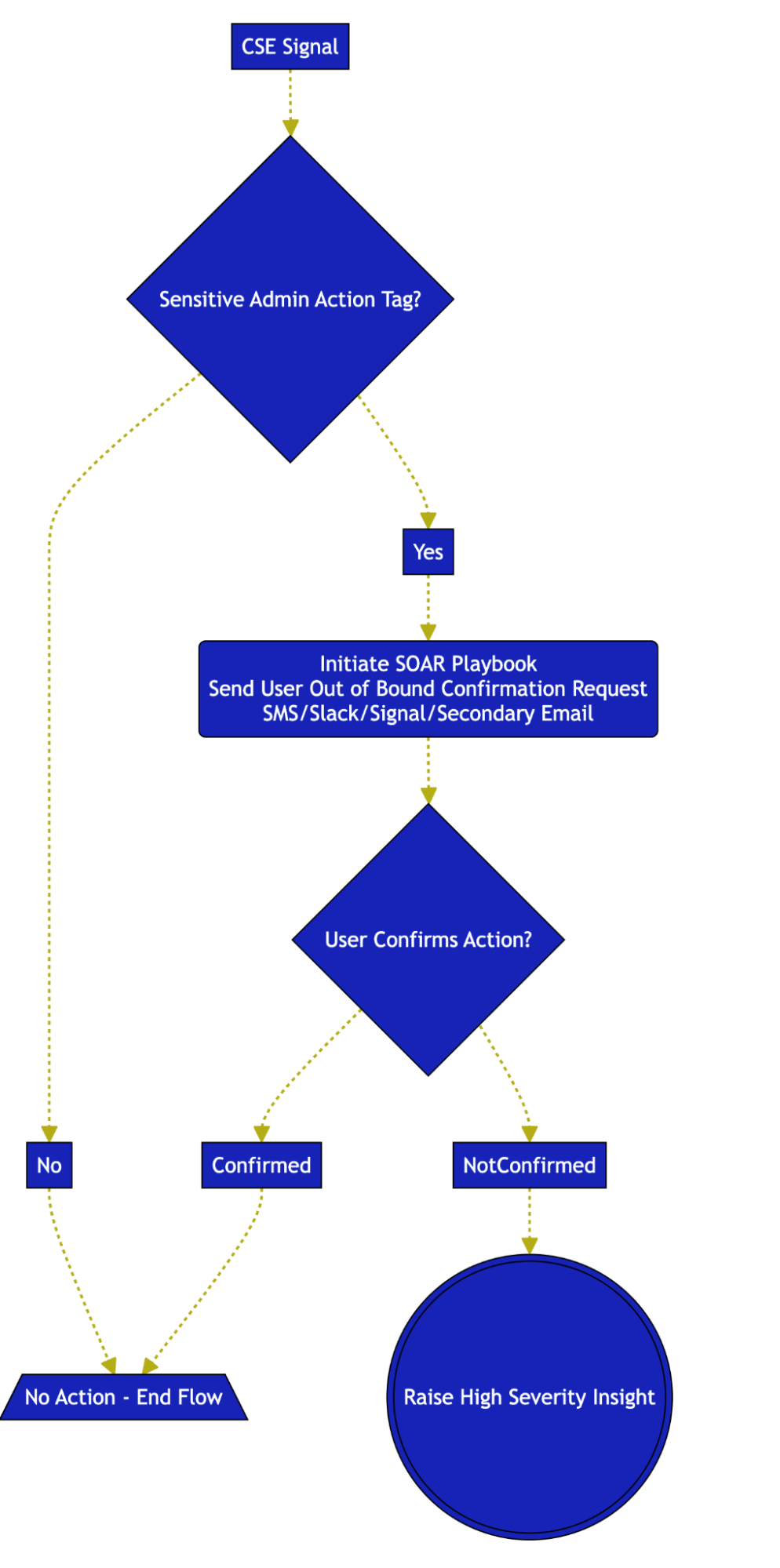
It should be noted that all the various options outlined in the flow above are fully configurable by the security team.
Workflow Example
Let’s take a look at a practical example of this workflow.
The security team gets together and decides that they would like to generate a signal when an Azure user is added to the “Global Administrator” role.
This role is obviously extremely sensitive so the team would like to get visibility into this kind of activity and would like to confirm with the user who performed the action that it was indeed intended.
The team crafts a rule:
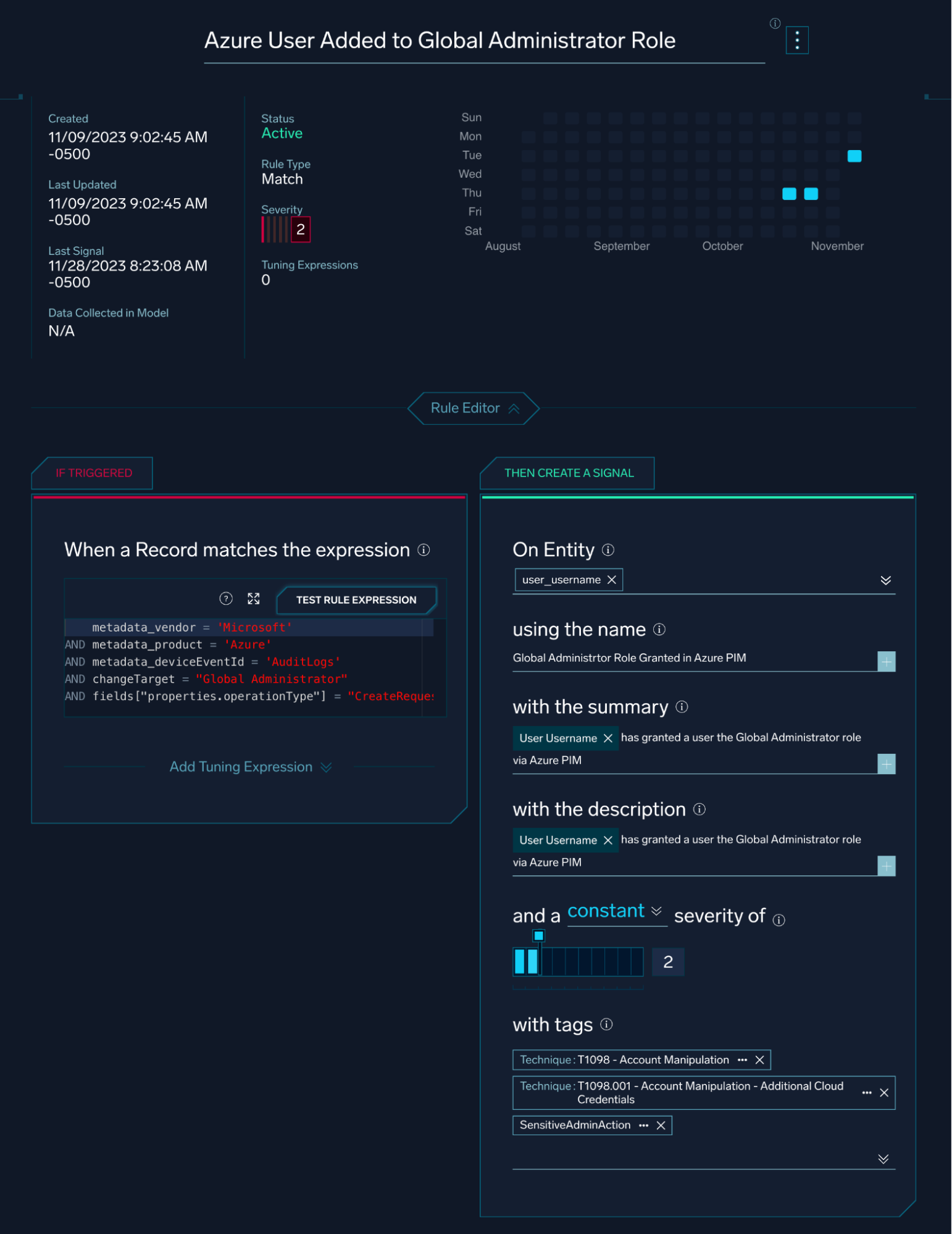
The rule is tagged with MITRE ATT&CK mappings and is also tagged with a “SensitiveAdminAction” tag.
A Cloud SOAR playbook is then created. Because Cloud SOAR integrates with various cloud providers like Azure AD, the playbook can look up contact details for the user who performed the action:
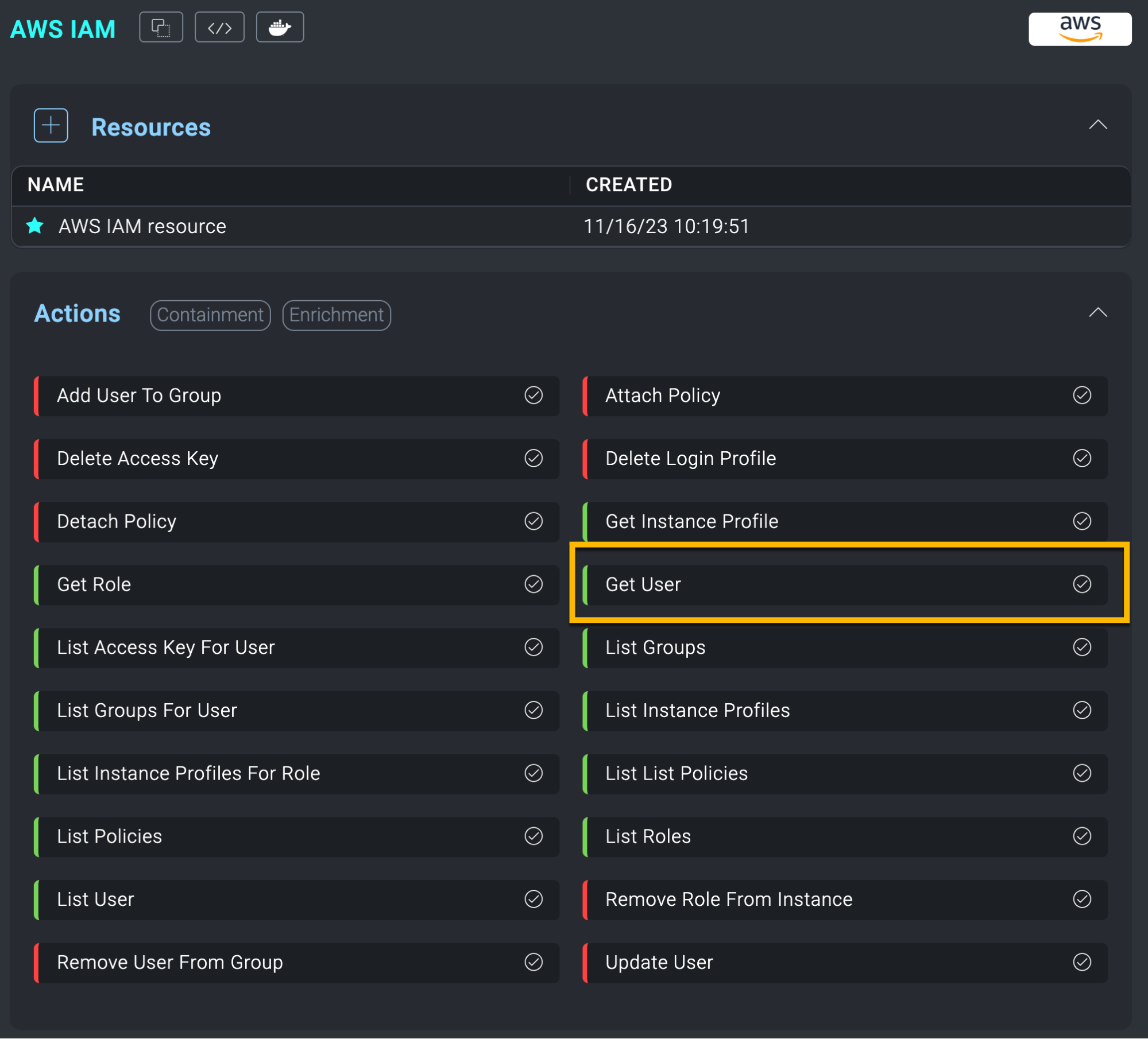
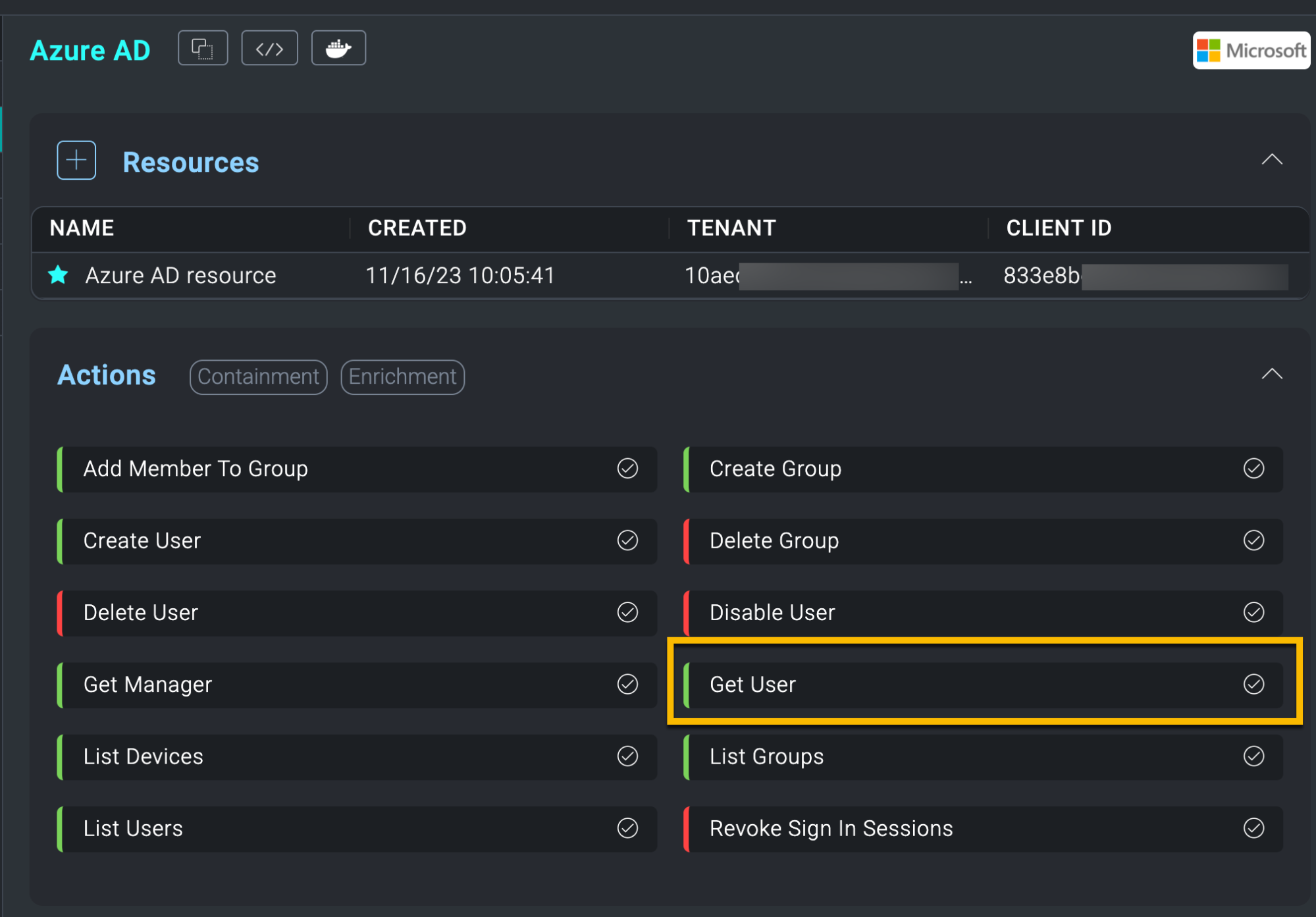
With these integrations set and configured, the team can go ahead and craft the playbook:
This playbook receives the information found in the Cloud SIEM signal and performs a lookup for the user’s contact information in Azure AD.
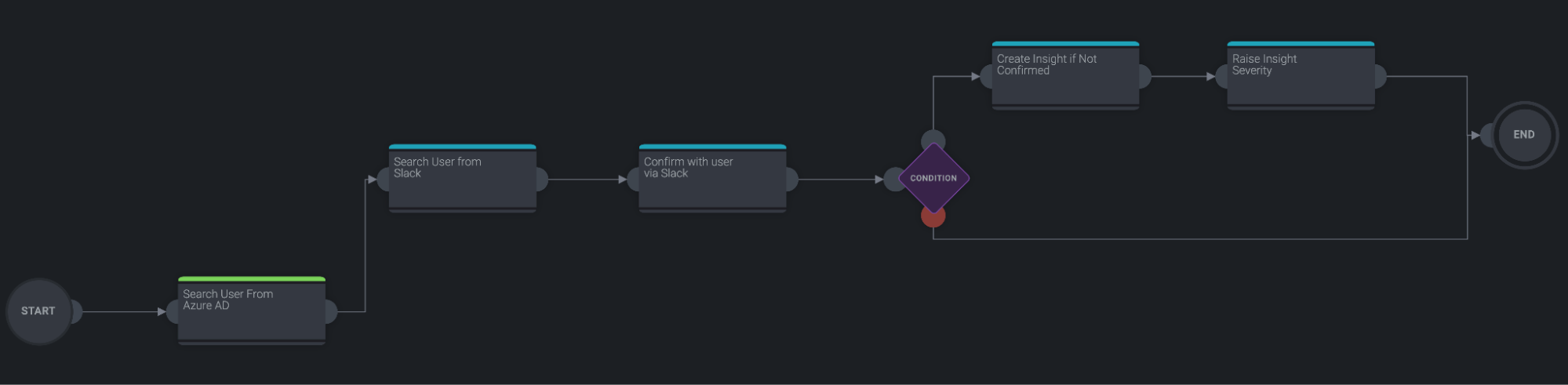
In this case, the team has a secondary and out of band Slack channel set up for these kinds of notifications.
The user that performed the sensitive administrative action is then located in Slack and a message is sent to them asking if they performed the action:
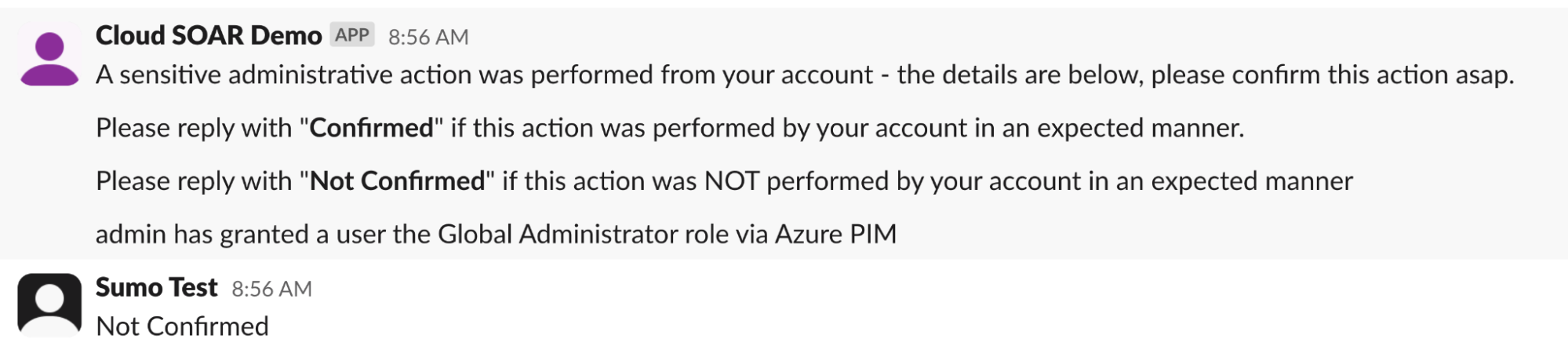
At this point, if the user confirms the action, no further steps are performed.
However, if the user does not confirm the action, a high severity Cloud SIEM insight is generated, which will be reviewed by the analyst team:
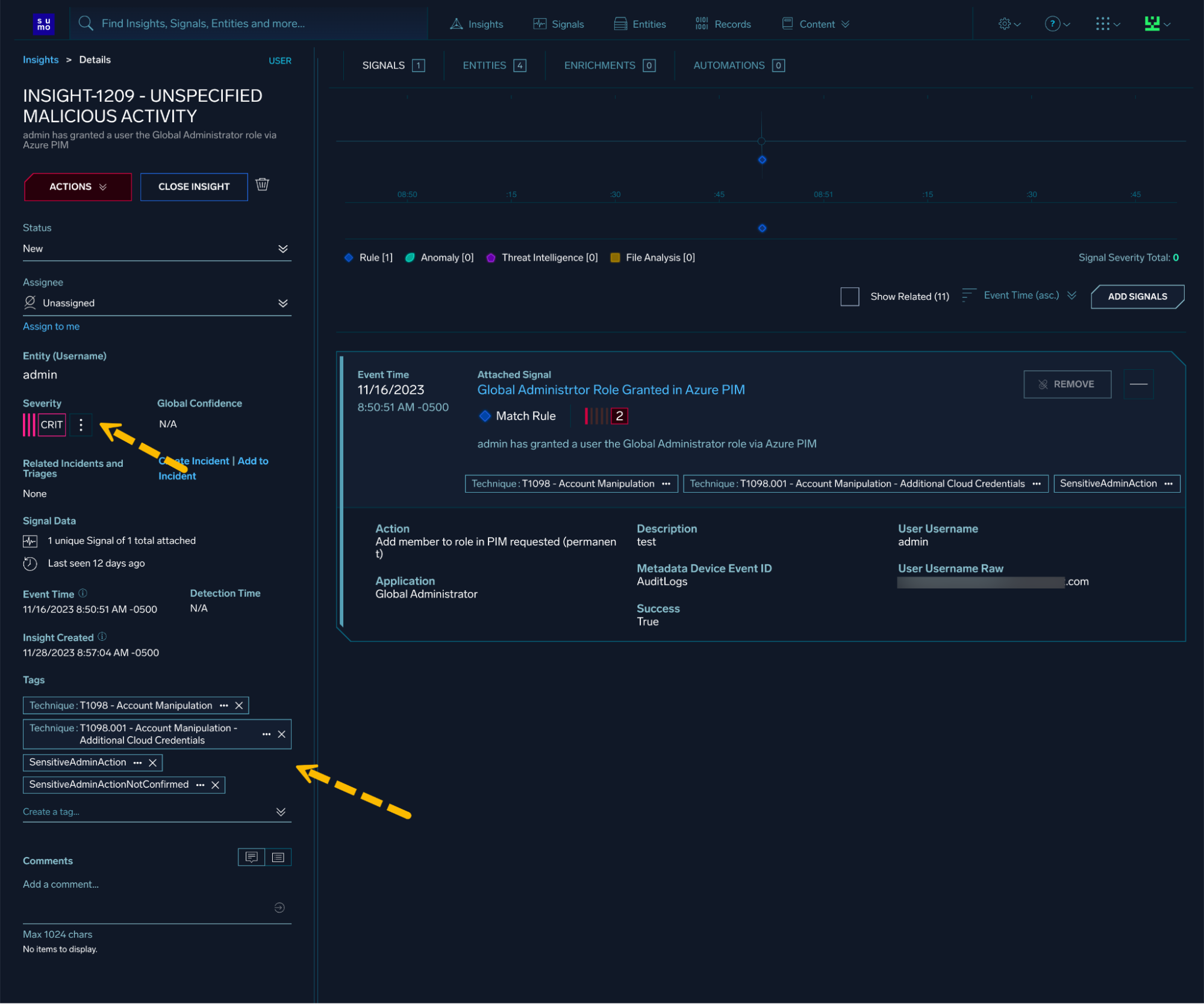
All these actions are performed in an automated fashion and are made possible by the wide array of platform features available in Sumo Logic.
The ability to ingest both cloud-based and on-premises telemetry, combined with a powerful real-time correlation engine and a flexible automation platform, allows security teams to build powerful workflows that reduce analyst toil and improve security posture.
How much time do we have?
If we return back to our SOC analyst context and break the above workflow into manual steps:
- View Signal information and determine who performed the sensitive administrative action
- Locate the users’ contact information
- Find a medium to contact user through
- Send user a message with signal details
- Wait for confirmation while attempting to not get sidetracked with additional incoming alerts
- Check the confirmation message and take appropriate action(s)
In best case scenarios, we can easily imagine this flow taking up at least 20-30 minutes of a SOC analyst’s time. This is time that could be spent on other tasks, and this is time that is not scalable.
Security leadership is on the constant lookout for time optimization strategies and “doing more with less” is a common refrain. The workflow outlined above is a great example of how automation can help security teams achieve this goal.
A call to action
The workflow illustrated in this blog requires a few pieces in order to be made operational.
First, security teams need to understand the identity flows within their environments. What systems are generating identity-related telemetry? What systems are being used to manage identities?
Once the general identity flows are understood, security teams need to ensure that the relevant telemetry is being collected and ingested into their SIEM platform.
Then, security teams can identify what constitutes “sensitive administrative actions” in their particular environment. Some examples of sensitive administrative actions include:
- Adding a user to Domain Administrators group in an Active Directory environment
- A login to a sensitive database server
- A broad or overly permissive IAM role being applied
- A root console login
- A change of MFA device, particularly for administrative users
- A login to a “Tier 0” server or device
- A creation of a “super user” account on Linux hosts
Once the telemetry is in place and operational, and security teams have a grasp of what sensitive administrative actions look like in their environment, they can begin to build out the confirmation workflow.
Throughout, it is important to always keep the person that is responsible for monitoring and responding to these alerts in mind. The goal is to reduce toil and context switching, not to add to it.
In this blog post, we outlined how the Sumo Logic platform - namely Cloud SIEM and Cloud SOAR work in tandem to automate the verification of sensitive administrative actions.
Learn more about Cloud SIEM in this solution brief.
If you are interested in building out this type of SOAR action in your environment, or are interested in learning more about Cloud SIEM and Cloud SOAR, please get in touch.